Two-factor and passkeys
Two-factor authentication is required for everyone who signs in with a password or LDAP. It’s in Settings → Sign-in → Two-factor authentication. (People who use single sign-on get two-factor from their identity provider instead.)
Authenticator app
You set one up the first time you sign in, by scanning a QR code. Any standard app works.
Set up a new authenticator (for a new phone): enter your password, scan the new code, and enter a code from the new app to confirm. Your old app keeps working until you confirm. You get new recovery codes too.
Recovery codes
Ten codes, each usable once in place of a code. You get them at your first sign-in. Make new recovery codes (after entering your password) replaces them; the old ones stop working at once. The console warns you when few are left, and you’re emailed when one is used.
Passkeys and security keys
A passkey (on your laptop or phone) or a security key (such as a YubiKey) can be used instead of the 6-digit code. They can’t be phished: your device signs only for this site.
Add one
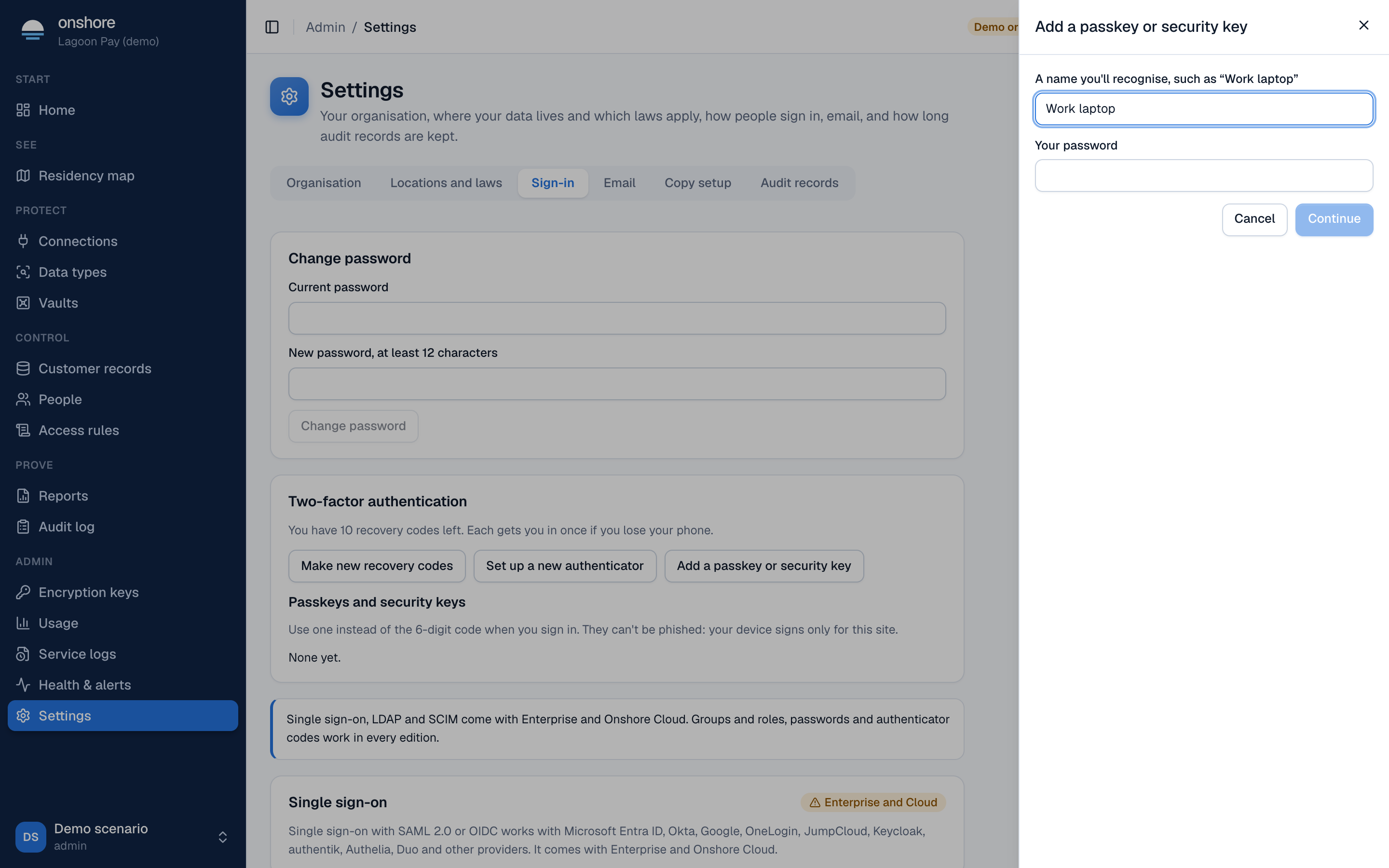
Select Add a passkey or security key. Give it a name you’ll recognise, such as “Work laptop”, and enter your password.
Confirm on your device
Your browser asks you to create a passkey, with your fingerprint, face, PIN or by touching your key.
Use it
Next time you sign in, at the code step, select Use a passkey.
Your passkeys are listed with when they were added and last used. Remove one at any time. You can have up to 10. Adding one emails you a notice.
Passkeys stand in for the code, never the password: you still enter your password (or LDAP password) first.
For admins
- Reset two-factor on a person’s page (under People) clears their authenticator, recovery codes and passkeys. They set up again at their next sign-in. It needs another admin; nobody can reset themselves.