Data types
Data types is where you decide what counts as sensitive. Onshore finds these types in everything that passes through it: logs, prompts, tickets, files and API traffic. Choose the vault at the top right; each vault has its own settings.
The page has four tabs:
| Tab | What’s there |
|---|---|
| Built-in | Types from the vault’s country packs and the Everywhere pack, with how confident a match must be |
| Your own | Types you define: loan IDs, staff numbers, VIP names, your country’s IDs |
| Country packs | Bundles of types and laws for a country. See Country packs |
| Templates | Starter types you can adopt and edit |
Built-in types
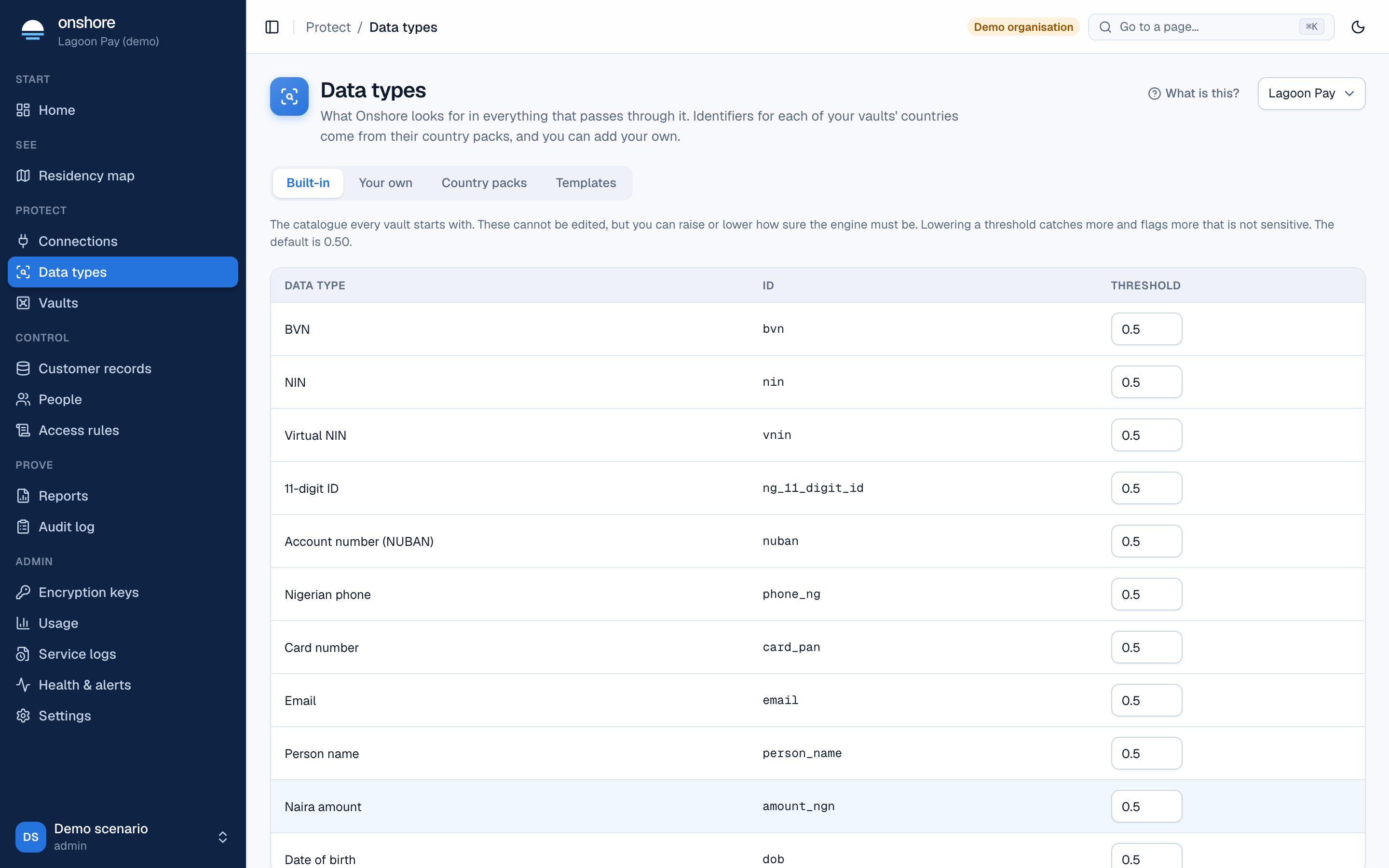
Each built-in type comes from a country pack or the Everywhere pack. An admin can tune each type’s threshold: how confident a match must be before it counts. Lower finds more, with more false matches; higher finds less.
Your own data types
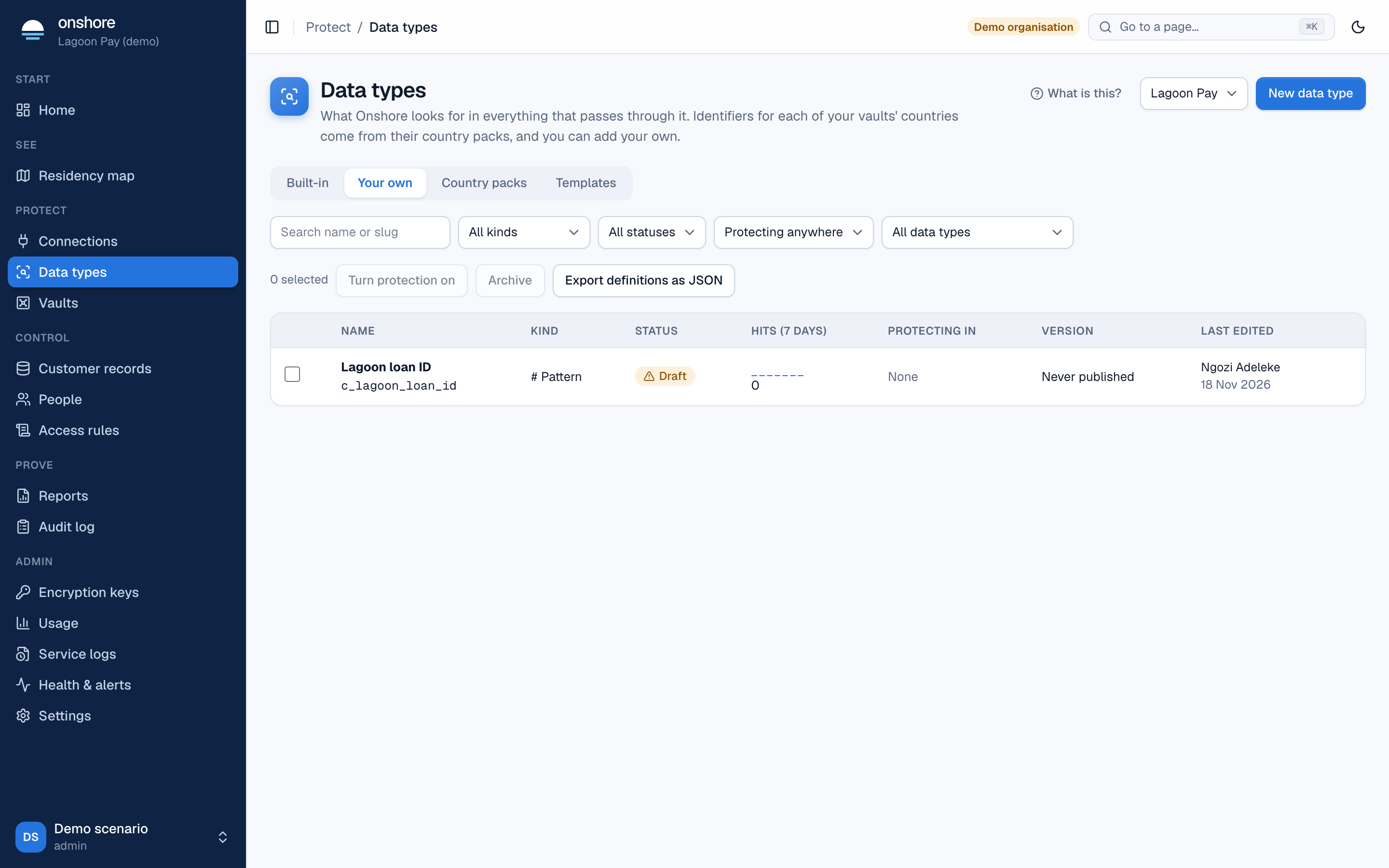
Your own types behave exactly like built-in ones: detected, tokenized, masked, governed by access rules and counted in every report. They’re off for each vault until an admin selects Turn on for this vault.
Filter by kind and status, search by name, or use a saved view: Pending my approval, Watch only for over 7 days, No hits in 30 days. Export definitions as JSON downloads them all.
The five kinds
| Kind | Use it for | How confident |
|---|---|---|
| Words or phrases (keyword list) | Exact words, such as product codes | High, then adjusted by nearby words |
| Pattern | IDs with a known shape, such as LN-00412873 | 0.6, plus 0.3 if its validator passes, then adjusted |
| Value after a cue word | Whatever follows “PIN:”, “OTP”, “password” | 0.8, then adjusted |
| Value list | A fixed list, such as VIP names. Stored only as keyed hashes | Always certain |
| JSON field | Fields in structured data, such as $.customer.loan_id | Always certain |
Nearby words look about 40 characters either side. Words that make a match more likely add up to 0.2; words that make it less likely subtract up to 0.3. The default threshold is 0.7.
A pattern without a validator scores 0.6, under the default threshold of 0.7. It matches only near one of its words, unless you add a validator or lower the threshold. The builder says so, and your samples will show it.
Create one
Start
Select New data type, then Create from scratch and choose one of the five kinds. Or start from Templates.
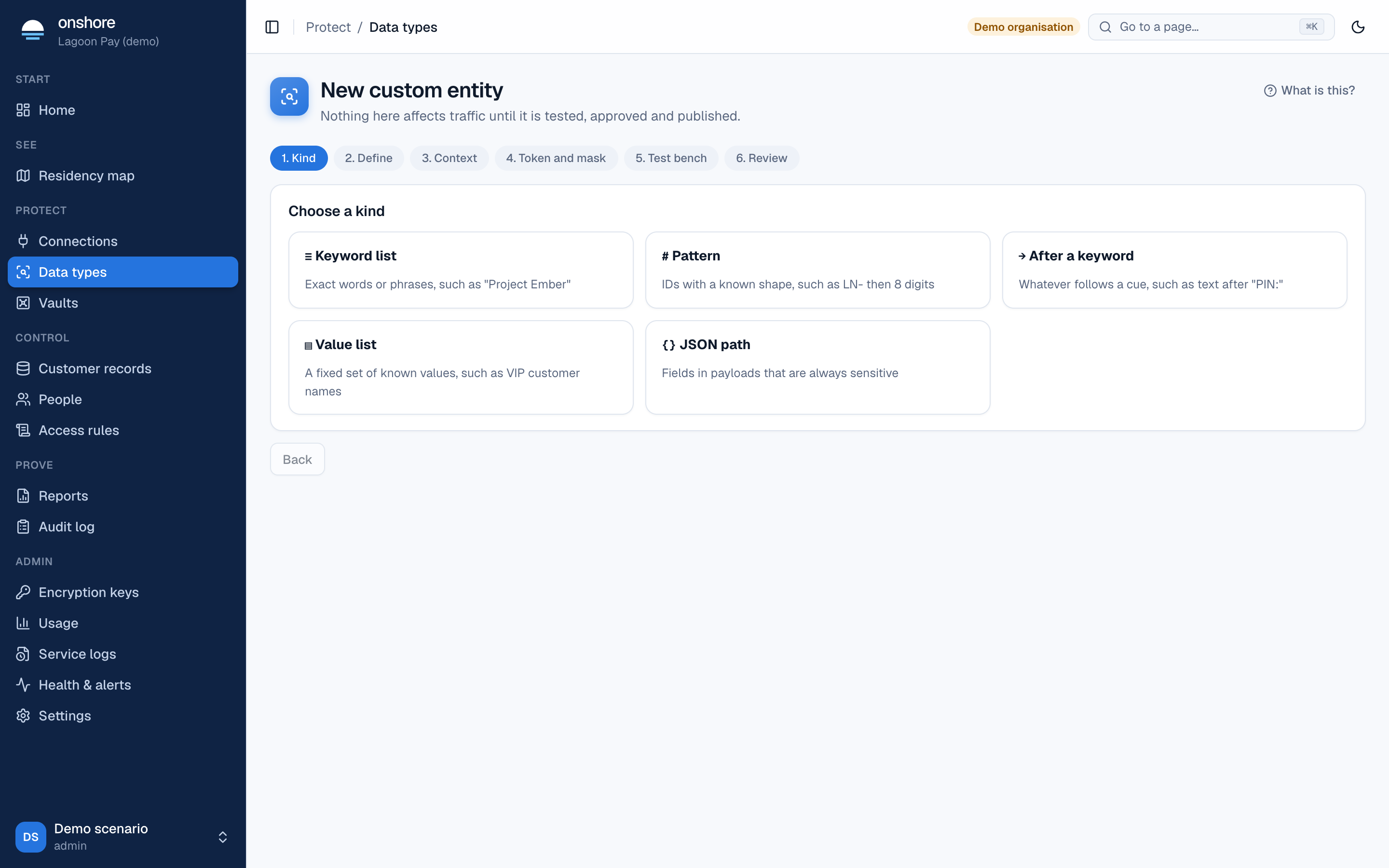
Define it
- Name (such as “Loan ID”) and slug (
c_loan_id; fixed after the first publish). - For a pattern, type the pattern, or select Build from examples: give three or more made-up examples and select Propose a pattern.
- Add a validator (a check the match must pass). See Check rules.
- Add words that make a match more likely and less likely.
Choose what each part of Onshore does
For the API, logs, AI gateway and proxy, choose Tokenize, Mask, Drop or Pass and count. Logs need “same value, same token” to stay searchable, so a type that gets a new token each time is masked in logs. Support tools and file redaction follow the API setting.
Add samples
Add at least 3 that must match and 3 that must not match, made up. Samples are stored encrypted and are visible to people who manage detection.
Ask to publish
Onshore runs the samples and a benchmark against a large body of text. It refuses a type that is too slow (more than 0.3 ms per KB; 1 ms for a value list) or too broad (matches more than 5% of lines).
A second person approves
Someone else approves the request. You can’t approve a change you wrote.
Watch, then protect
The type goes live everywhere within about 30 seconds in watch only: matches are counted, traffic is unchanged. Look at the hits, then select Turn protection on.
The life of a type
| Status | Detected? | Action | Counted? |
|---|---|---|---|
| Draft | Test bench only | None | No |
| Watch only | Everywhere | Passes unchanged | Yes |
| Protecting | Everywhere | As set per module | Yes |
| Archived | No | None | Earlier counts kept |
An edit to a published type waits beside the live version, needs the same approval, and keeps the type’s status when approved. Archiving is blocked while a published access rule names the type. Tokens already issued keep working.
A type’s page
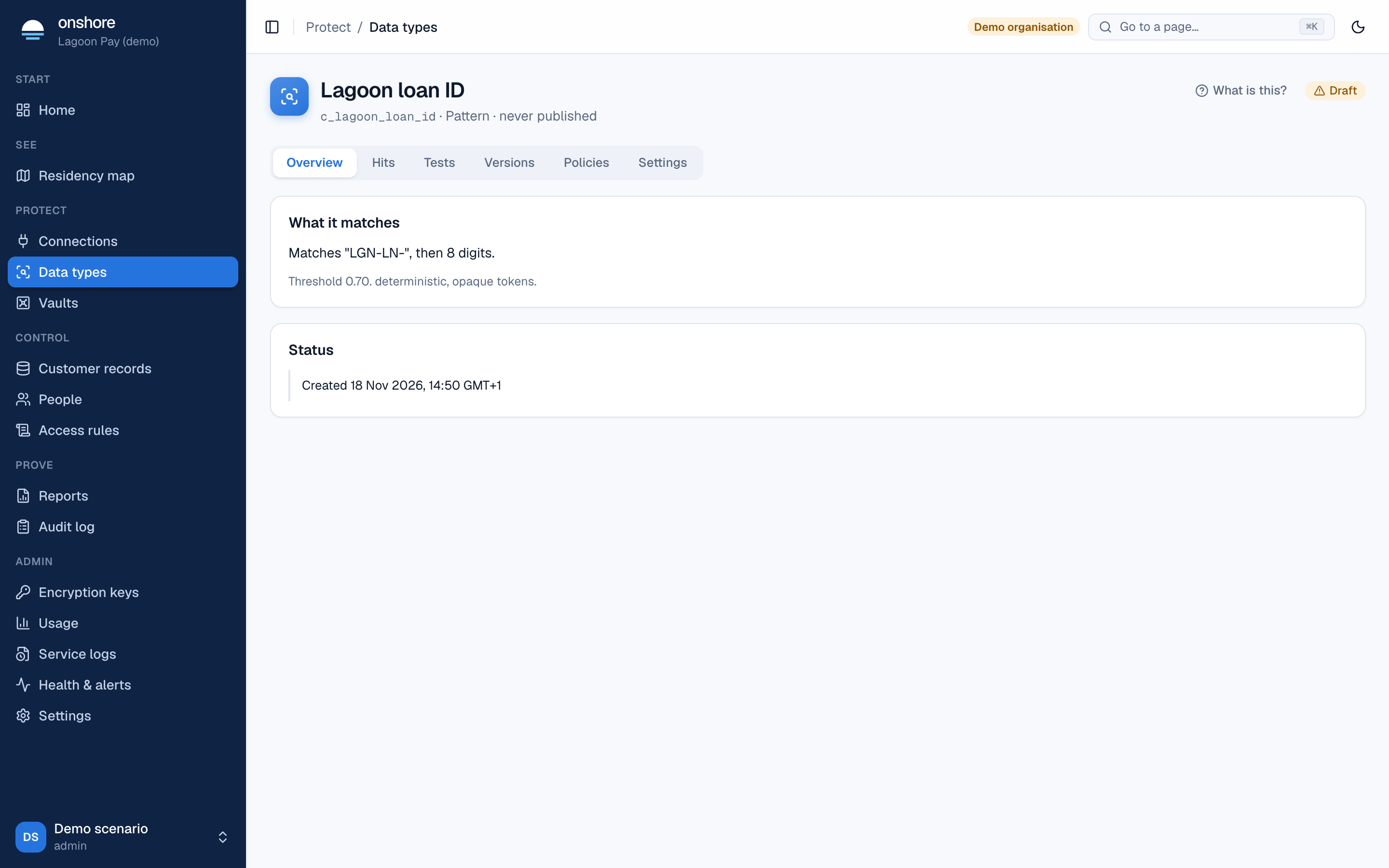
Open a type to see what it matches, its hits by day per module (counts only: the matched text is never recorded), its samples and results, every published version with who wrote and approved it, and the access rules that use it.
Value lists
For a value list, upload a CSV (up to 100,000 values), choose the column, and select Hash and store. Matching ignores case, extra spaces and surrounding punctuation. Values are compared by keyed hash; the upload is kept encrypted for 30 days, then deleted. The list goes live with the approved version.
Limits
200 of your own types per vault, of which 50 can be patterns. 100,000 values per list, 1,000,000 per vault. A type of yours can never hide a built-in match.
Templates
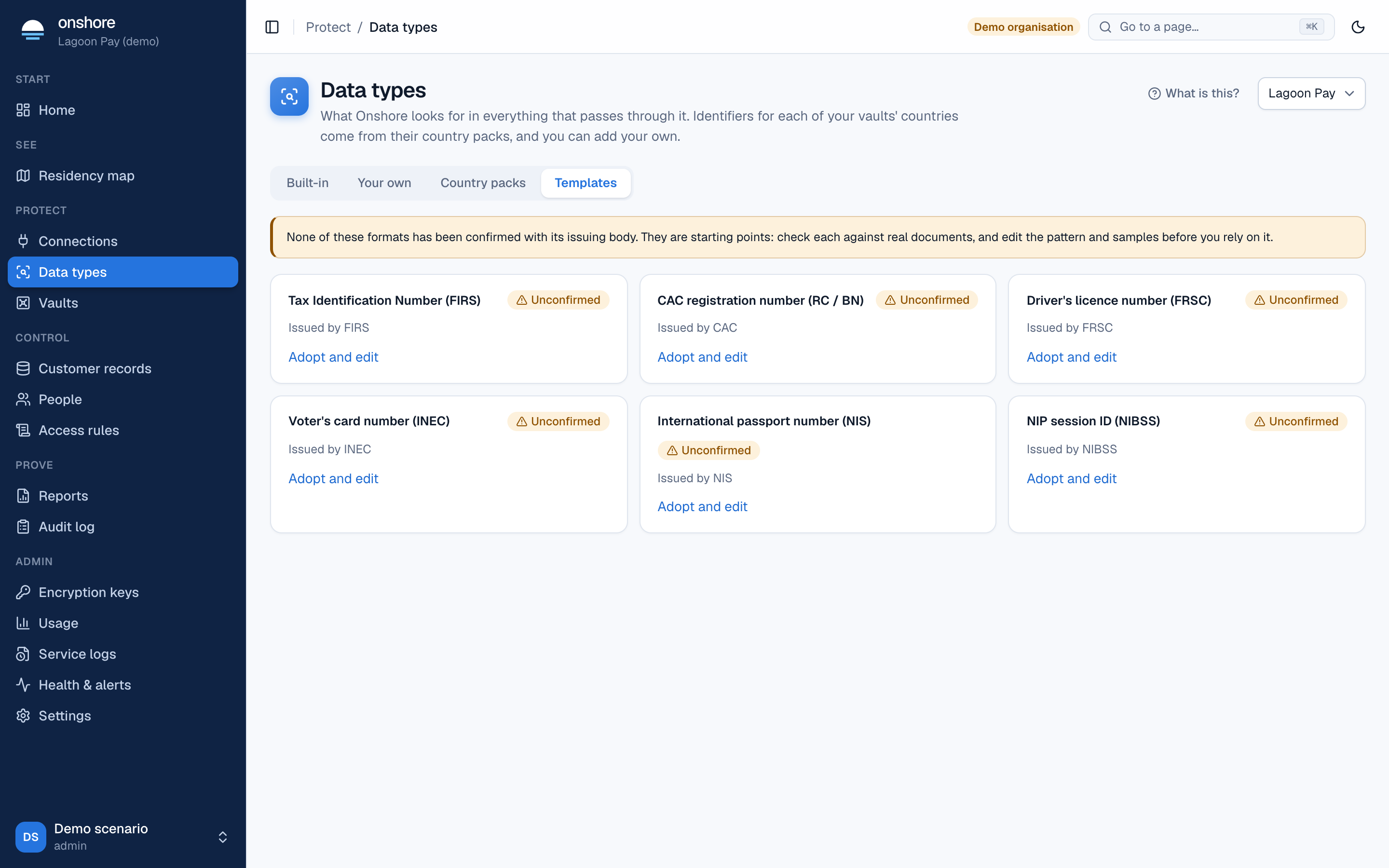
Templates are starting points. Some are marked Unconfirmed: their format hasn’t been confirmed with the issuing body. Select Adopt and edit, check the pattern against real documents, and edit it before relying on it.
Roles
| Role | Can |
|---|---|
| Admin | Everything, including turning your own types on and tuning thresholds |
| Detection manager | Create and edit types, ask to publish |
| Detection approver | Approve |