Customer records
Customer records lists the people whose values are in a vault. Use it to answer a customer’s request, check who looked at someone’s data, or handle a data subject request.
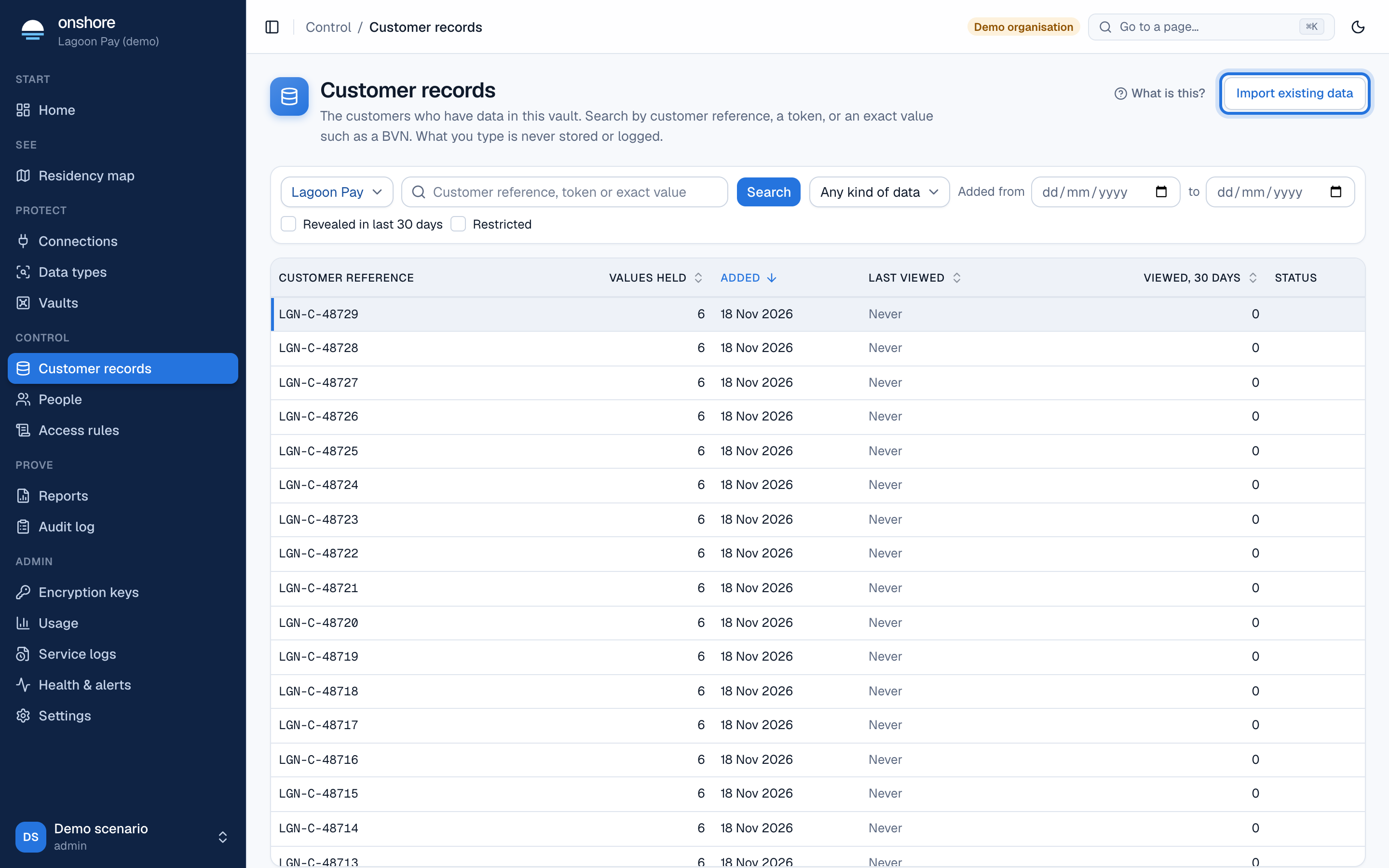
Find a person
Choose the vault, then search by customer reference, token or exact value. Searching by value uses a blind index: the value is never decrypted to search. Filter by the kind of data held, where it was added from, recent reveals, or restricted status.
To load customers you already hold, select Import existing data. See Import existing data.
A person’s record
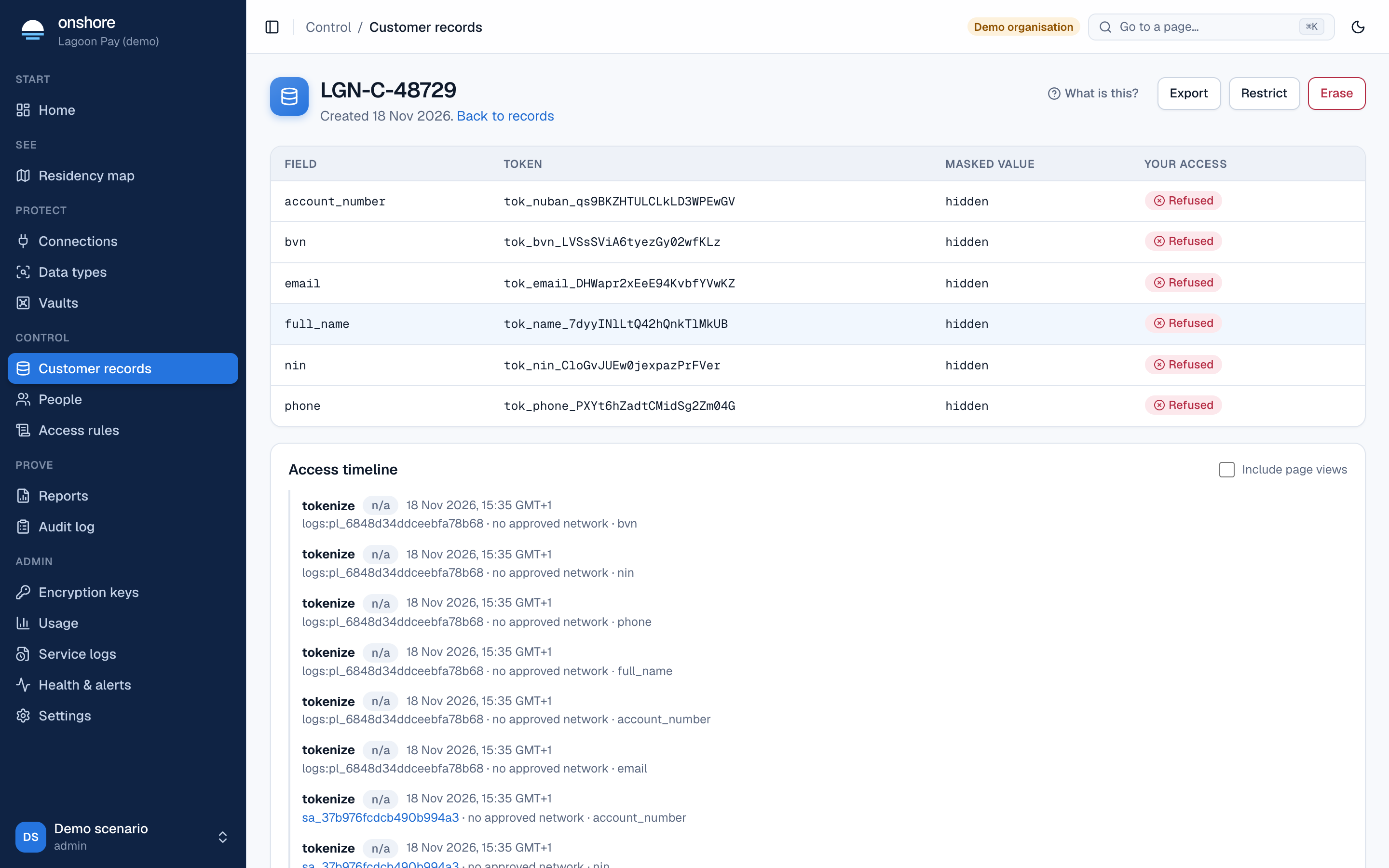
- Fields: each value’s token and masked value, and your access: what your access rules let you see.
- Access timeline: every access to this person’s data, with who, when, why and the result. Tick Include page views to also see who opened the record.
Reveal a value
Where an access rule allows it, reveal a value. You must give a request or ticket reference. The value appears and the reveal is recorded with your reason. Whether you see the real value, a masked one or nothing depends on the rules.
Export
Export downloads the person’s data for an access request. It needs an access rule allowing export (by default the DPO, with multi-factor sign-in and a purpose).
Erase
Erase deletes everything held on the person, with a record that it happened. A value shared with another person survives until its last owner is erased.
Restrict processing
Restrict processing freezes the record: while restricted, nobody can reveal this person’s values, whatever the access rules say. Lift restriction undoes it.
On a phone, records are read-only: reveals, exports and erasure need a desktop.