Editions
Onshore is open core. Community is the core vault, free and open source under AGPL-3.0. Business and Enterprise add the features a company needs in production, under the Onshore Commercial Licence. Onshore Cloud is run for you. Every edition runs the same containers.
| Community | Business | Enterprise | Onshore Cloud | |
|---|---|---|---|---|
| Who runs it | You | You | You | Onshore, in each country we open |
| Countries | One per install | One per install | An install in each country, linked to one console | A region per country |
| Vault: store, reveal, records, lookups, erasure | ✓ | ✓ | ✓ | ✓ |
| Detection with the built-in country packs | ✓ | ✓ | ✓ | ✓ |
| Basic access rules (who, which action, plaintext or masked) | ✓ | ✓ | ✓ | ✓ |
| Tamper-evident audit log, CSV export | ✓ | ✓ | ✓ | ✓ |
| Server SDKs and the data API, test vaults | ✓ | ✓ | ✓ | ✓ |
| Password with authenticator code or passkey, groups to roles | ✓ | ✓ | ✓ | ✓ |
| AI gateway and cloaking | — | ✓ | ✓ | ✓ |
| Log pipelines, HTTP proxy, file redaction, ticket adapters | — | ✓ | ✓ | ✓ |
| Secure components (web, iOS, Android, React Native) | — | ✓ | ✓ | ✓ |
| Residency map and flow checks | — | ✓ | ✓ | ✓ |
| Data subject request tools: find a person, show, export, restrict | — | ✓ | ✓ | ✓ |
| Access rules with purposes, office hours, reveal limits, network or MFA conditions | — | ✓ | ✓ | ✓ |
| Your own data types and country packs | — | ✓ | ✓ | ✓ |
| Signed evidence reports (PDF) | — | ✓ | ✓ | ✓ |
| Webhooks, page protection | — | ✓ | ✓ | ✓ |
| Single sign-on (SAML 2.0, OIDC) and SCIM | — | ✓ | ✓ | ✓ |
| LDAP | — | — | ✓ | ✓ |
| Linked installs in several countries | — | — | ✓ | Built in |
| Audit streaming to your SIEM | — | — | ✓ | ✓ |
| Hardware security module (PKCS#11) | — | — | ✓ | On request |
| Licence | None (AGPL-3.0) | Offline licence file | Offline licence file | None |
| Support | Community | Business hours | 24/7, named engineer | By plan |
Test vaults are free in every edition. Paid data API features work on any test vault, because test vaults hold only made-up data. So you can build and test against Business features before you buy.
A refused paid feature answers 403 with the code needs_business or needs_enterprise.
How Onshore knows your edition
- Onshore Cloud installs say so in their configuration.
- A self-hosted install is Business or Enterprise when it has a valid licence that includes the
businessorenterprisemodule. You set the licence withrv init --licensewhen installing. The licence is checked offline: the product never phones home. - An official release without a licence is Community.
- A build you made yourself from source has no licence key in it, so it runs as a development build with every feature on. That’s for development and testing only: production use of the paid features needs a subscription under the Onshore Commercial Licence.
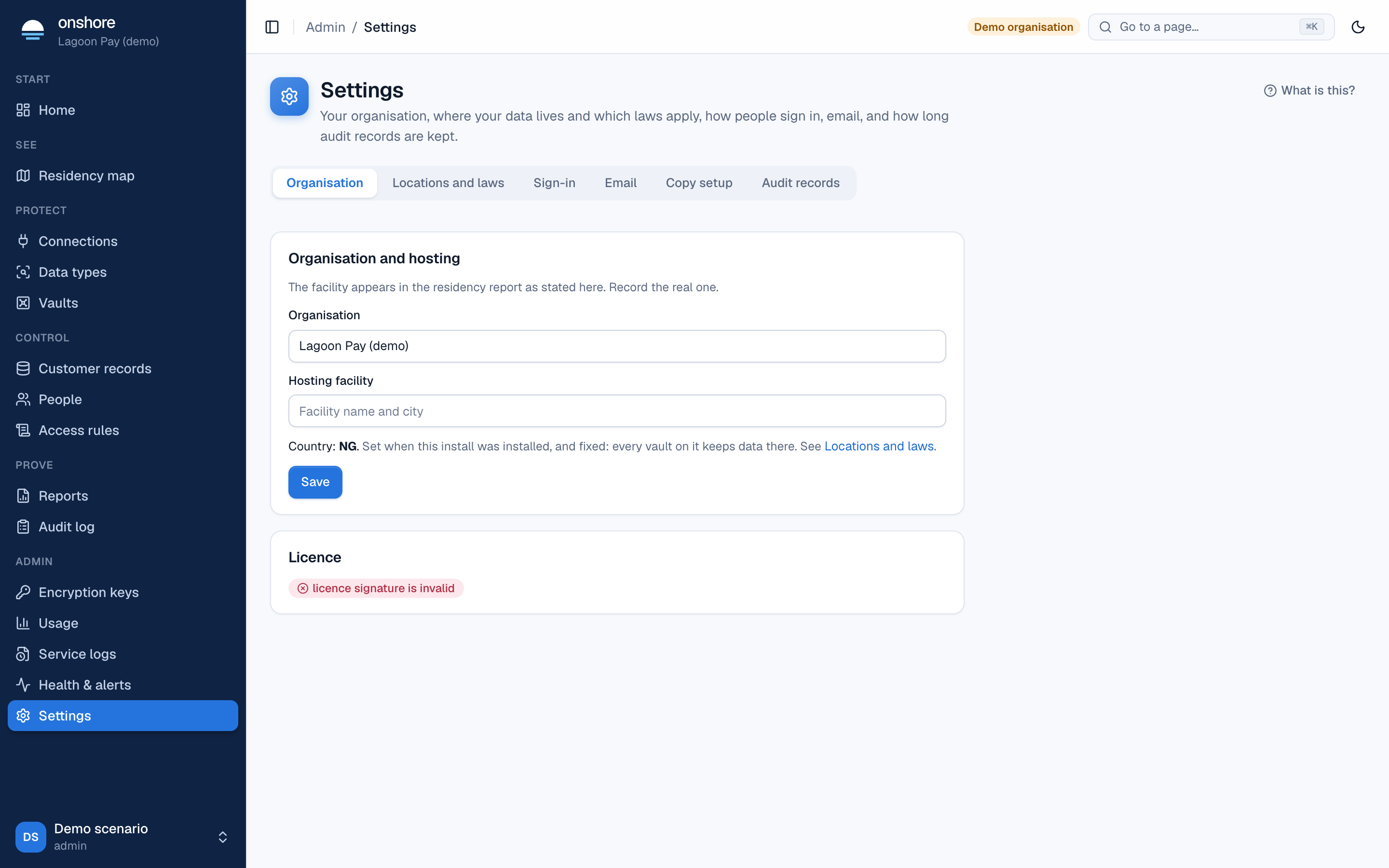
You can see the licence under Settings → Organisation.
What happens if a licence lapses
An expired licence keeps its edition: everything keeps working, and only upgrades stop until it’s renewed.
Without any licence (for example, if it’s removed), paid features stop, but nothing is lost and nobody is locked out:
- Stored values can always be revealed, erased and audited.
- Settings for paid features can still be seen and removed in the console; they just can’t be created or changed.
- Single sign-on that’s already set up keeps signing people in.
- Access rules already saved keep applying, including advanced ones; new rules can’t use advanced conditions.
Moving between editions
- Community to Business or Enterprise: add a licence file and restart. Nothing is migrated.
- Adding countries: in Enterprise, link a new install in each country. See Linked installs.
- Self-hosted to Cloud, or back: use Copy setup to move fields, data types, access rules and connections. Customer values never move between countries.