Home
Home is the first page after sign-in. It answers two questions: what needs my attention? and what should I do next?
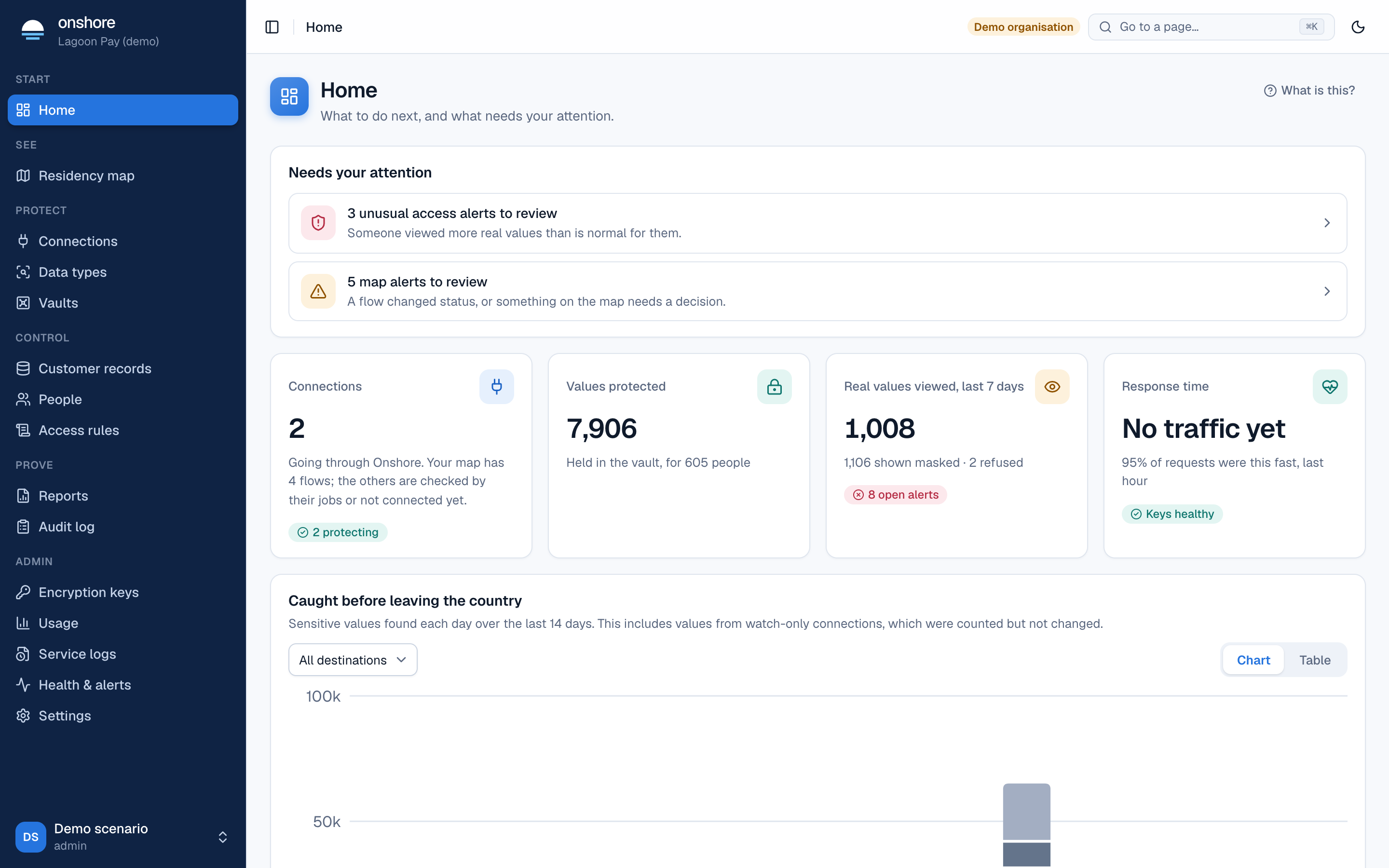
Needs your attention
Problems that need a person, newest first. Select one to go straight to it. Typical items:
- Unusual access alerts: someone viewed more real values than is normal for them. See People and roles.
- Map alerts: a flow changed status, or something on the residency map needs a decision.
- Leaking flows: sensitive values are leaving the country unprotected on these paths.
Get set up
Until you’ve finished, Home shows a checklist with your progress:
- Create a vault: where real values live, in your vault’s country.
- Connect your first source: logs, an AI tool, a vendor API or a support tool. Or Open the setup guide for a guided first connection.
- Check your connections and turn protection on: once you trust what you see.
- Load your existing customers: import data.
- Complete your residency map: add systems Onshore can’t see.
- Decide who can see real values: write an access rule. Publishing needs a second person.
- Download your first report: signed evidence for your compliance officer.
Select Hide this to put the checklist away.
The summary cards
| Card | Shows |
|---|---|
| Connections | How many connections send data through Onshore, how many are protecting, and how many flows on your map are checked by their own jobs or not connected yet |
| Values protected | Values held in the vault, and for how many people |
| Real values viewed, last 7 days | Full reveals, masked views, refusals and open alerts |
| Response time | How fast 95% of requests were answered in the last hour, and whether the key service is healthy |
Caught before leaving the country
Sensitive values found each day over the last 14 days, by type. It includes values from watch-only connections, which were counted but not changed. Choose a destination to narrow it, and switch between Chart and Table.
Last updated on