Vaults
A vault keeps real values on your servers, in the country it was created for. Each row in a vault is a field: one kind of value, with how it’s tokenized and how it’s shown when masked.
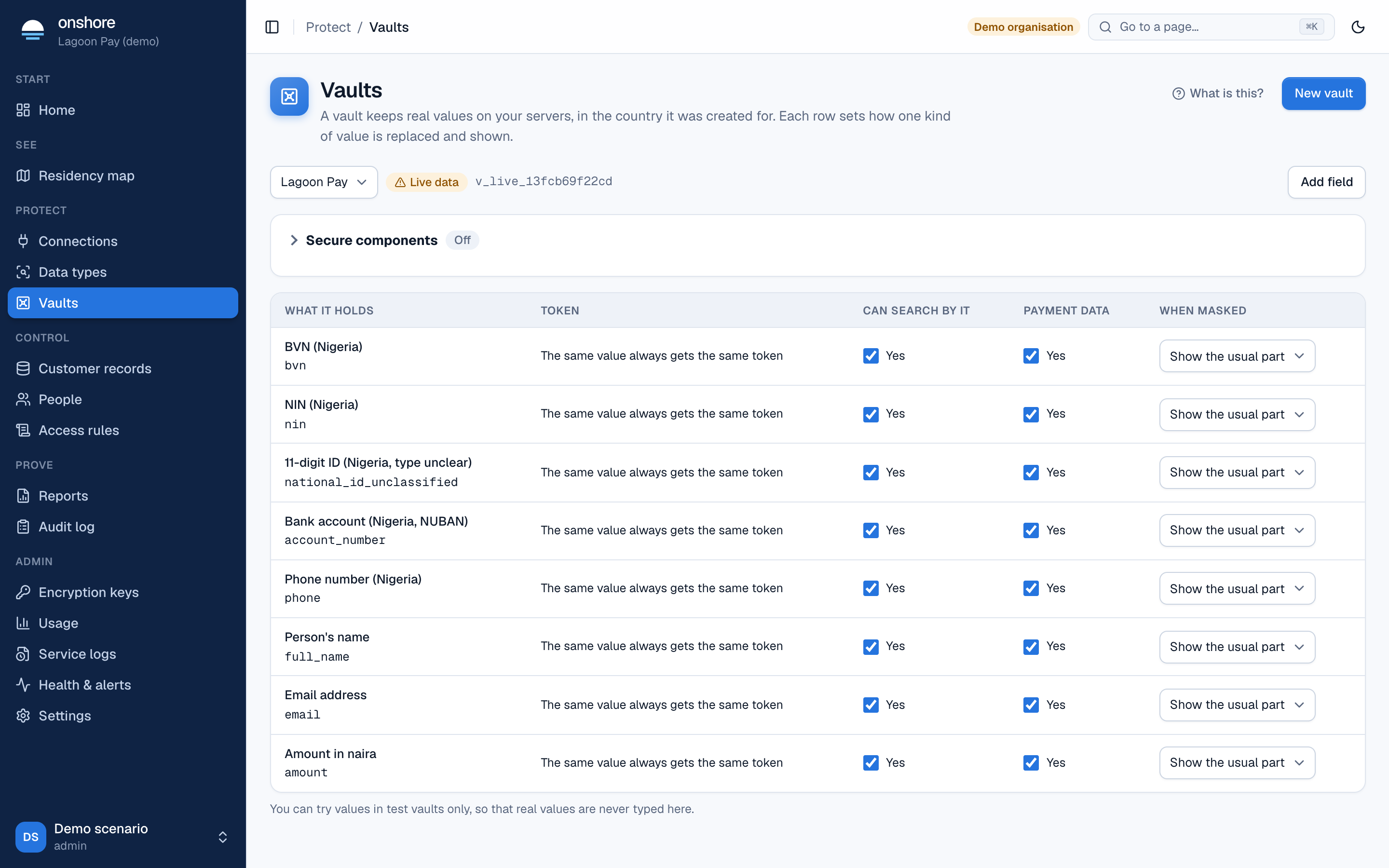
At the top you see the vault you’re looking at, whether it holds live data or is a test vault, and its ID (such as v_live_13fcb69f22cd), which developers use in API calls.
The fields table
| Column | Meaning |
|---|---|
| What it holds | The field’s name and the kind of data it holds |
| Token | How tokens are given: same value same token, a new token each time, or one that expires |
| Can search by it | Whether you can find a person by this value without revealing it (a blind index) |
| Payment data | Whether it counts as payment data in your reports |
| When masked | Show the usual part (such as the last 4 digits) or Hide all of it |
Create a vault
Start
Select New vault.
Choose
- Name.
- Country: where its data stays. It can’t change later. On a self-hosted install, it must be the install’s country.
- Environment: Test, with made-up customers, or Live data.
- Template: Fields for its country’s identifiers (from its country packs), or Blank.
In test vaults you can type values to see what your systems would receive. Live vaults don’t allow it, so real values are never typed into the console.
Add a field
Select Add field and choose:
- Name and data type (built-in or one of your own).
- When the same value comes in again: give it the same token so records can be matched up; give it a new token each time (the value can be changed later); or give it a token that expires (and after how many days).
- What the token looks like: clearly a token (
tok_…), or looks like the real value, for old systems that check length.
Token settings can’t change later, because stored values depend on them.
Try it (test vaults)
In a test vault, type a made-up value and see the token, the masked value, and whether, in traffic, it would be recognised as that type, with what confidence.
Secure components
Open Secure components to list the sites and apps allowed to show Onshore’s collect and reveal frames. See Secure components.
Time zone
A vault counts its days (for usage, reports and the map) in its own time zone if you set one in Settings → Locations and laws; otherwise in your organisation’s.