Reports
Reports produces signed evidence of where your data lives, what’s protected, what still flows abroad and who saw what. Reports are computed from the audit log, never from separate counters, so every number traces back to recorded events.
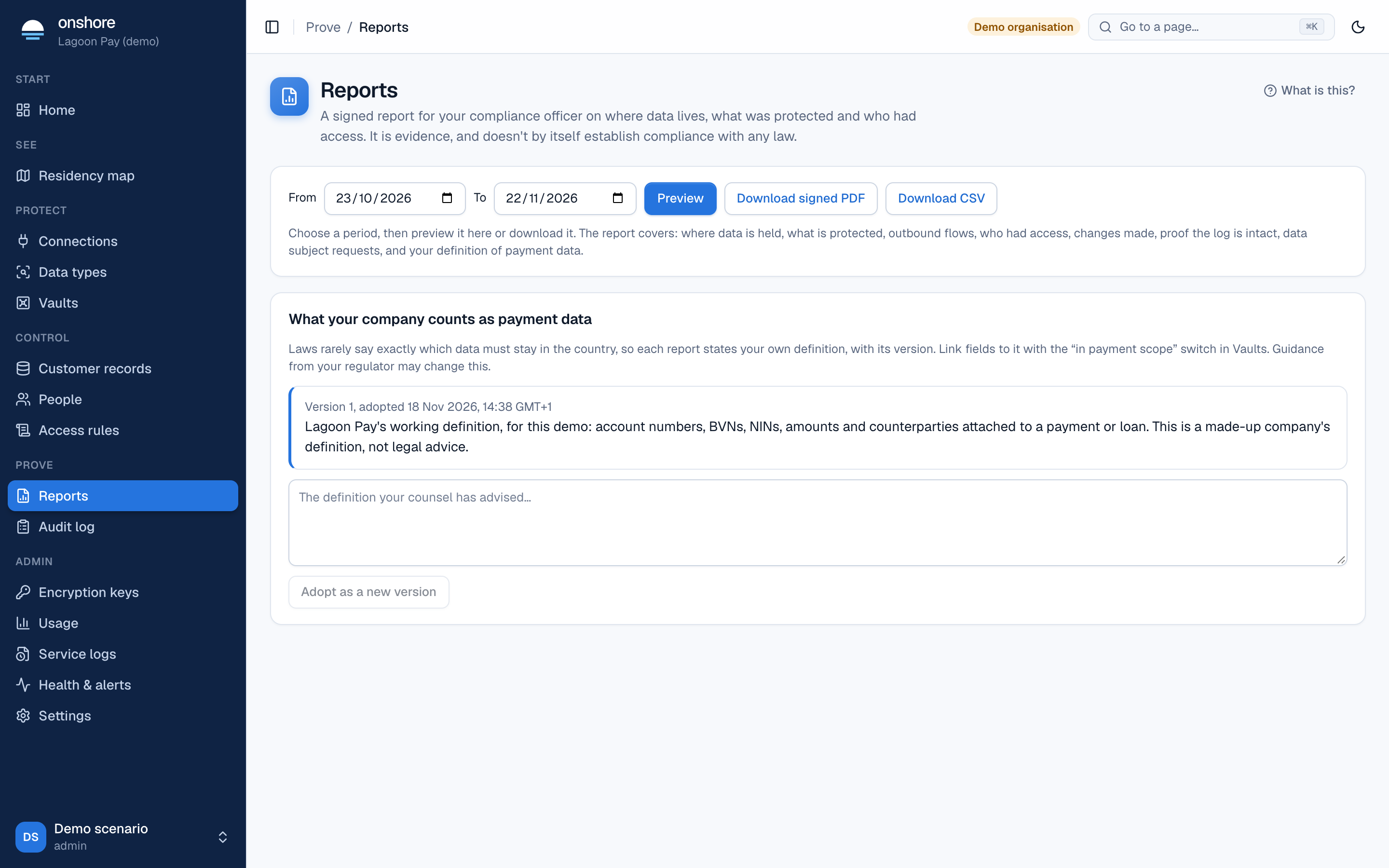
Make a report
Choose the period
Pick the From and To dates. Days end in your organisation’s time zone.
Preview it
The preview shows every section, below.
Download
Download signed PDF for people; Download CSV for spreadsheets and governance tools.
What’s in it
| Section | Shows |
|---|---|
| 1. Cover | Your organisation, the period, who generated it, and the signature fingerprint |
| 2. Data location | Each vault’s country and hosting facility, where keys are held and who administers them |
| 3. What is protected | Values held per data type, and for how many people |
| 4. Outbound flows | Each connection’s destination, what was protected, what passed while watch only, and its legal ground |
| 5. Access | Reveals by role and result, denied attempts, break-glass events, and reveals not on an approved network |
| 6. Changes | Access rule and data type changes, with who approved each; key rotations |
| 7. Integrity | Whether the audit chain verified, how many events, and how many signed checkpoints cover the period |
| 8. Data subject requests | Exports and erasures |
Your scope definition
Rules such as “payment data must stay in the country” often don’t define exactly what counts. Record what your company counts as in-scope data, as your counsel advised, under the report: type it and select Adopt as a new version. Each version is dated and kept. The residency map and reports use the current one.
Reports give you evidence to work with. Whether that evidence satisfies a regulator is for your compliance team and counsel.
Checking a report
The PDF is signed with your organisation’s audit key. The fingerprint on the cover lets anyone check it wasn’t altered. See Audit log.