Country packs
Onshore has built-in packs for 18 countries. Any other country can still have a vault, and you can teach Onshore its ID formats and laws with your own country pack. You can also make a pack for a country that has a built-in one, to add types it lacks.
A pack holds:
- Data types: the country’s IDs and account numbers, as patterns, cue words, keyword lists or JSON fields, with made-up examples.
- Laws: each with a summary, a source link and the date you checked it. They appear under Settings → Locations and laws.
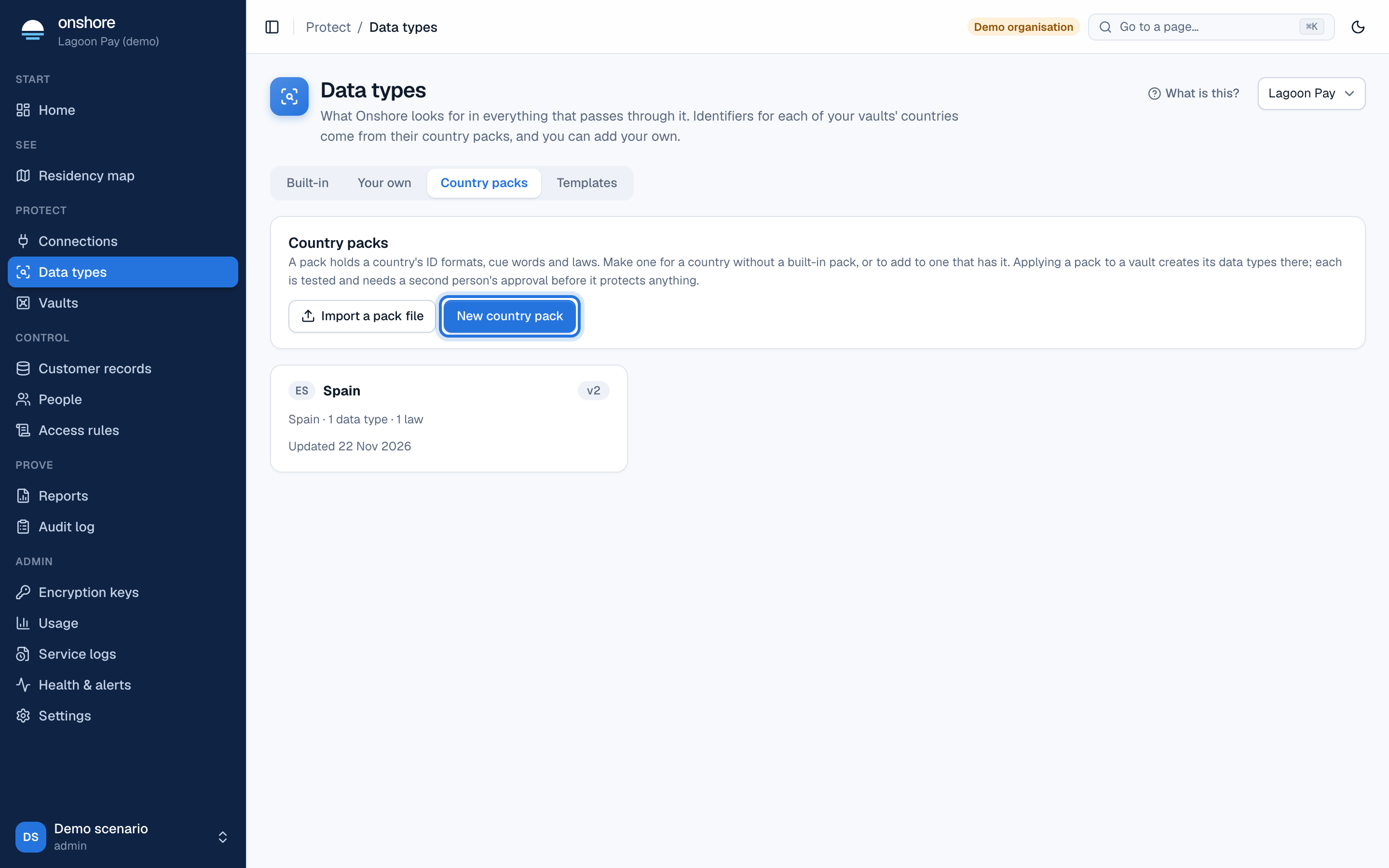
Packs are in Data types → Country packs.
Make a pack
Create it
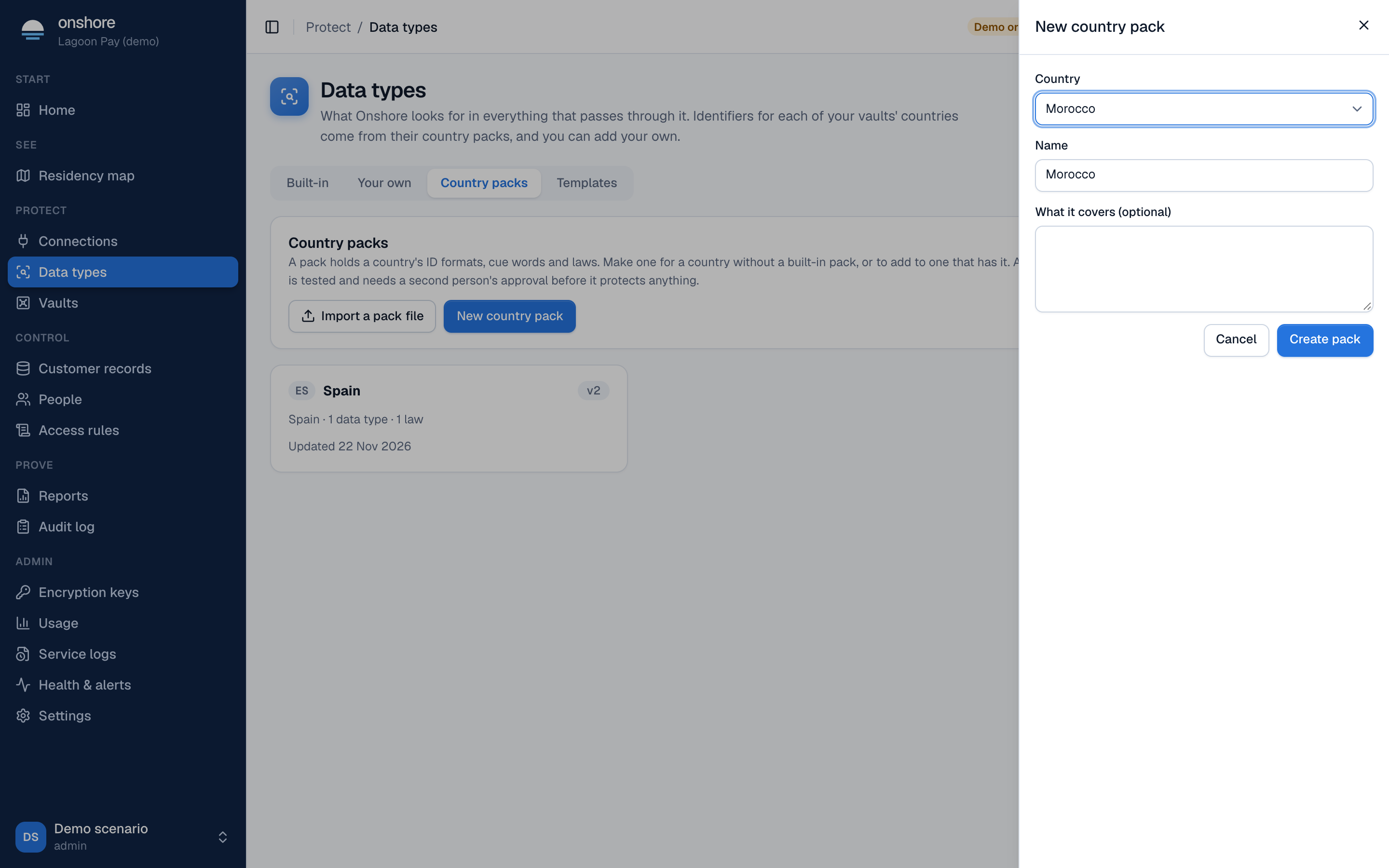
Select New country pack, choose the country (every country is listed; those with a built-in pack say so), give it a name, and optionally say what it covers. Select Create pack.
Add data types
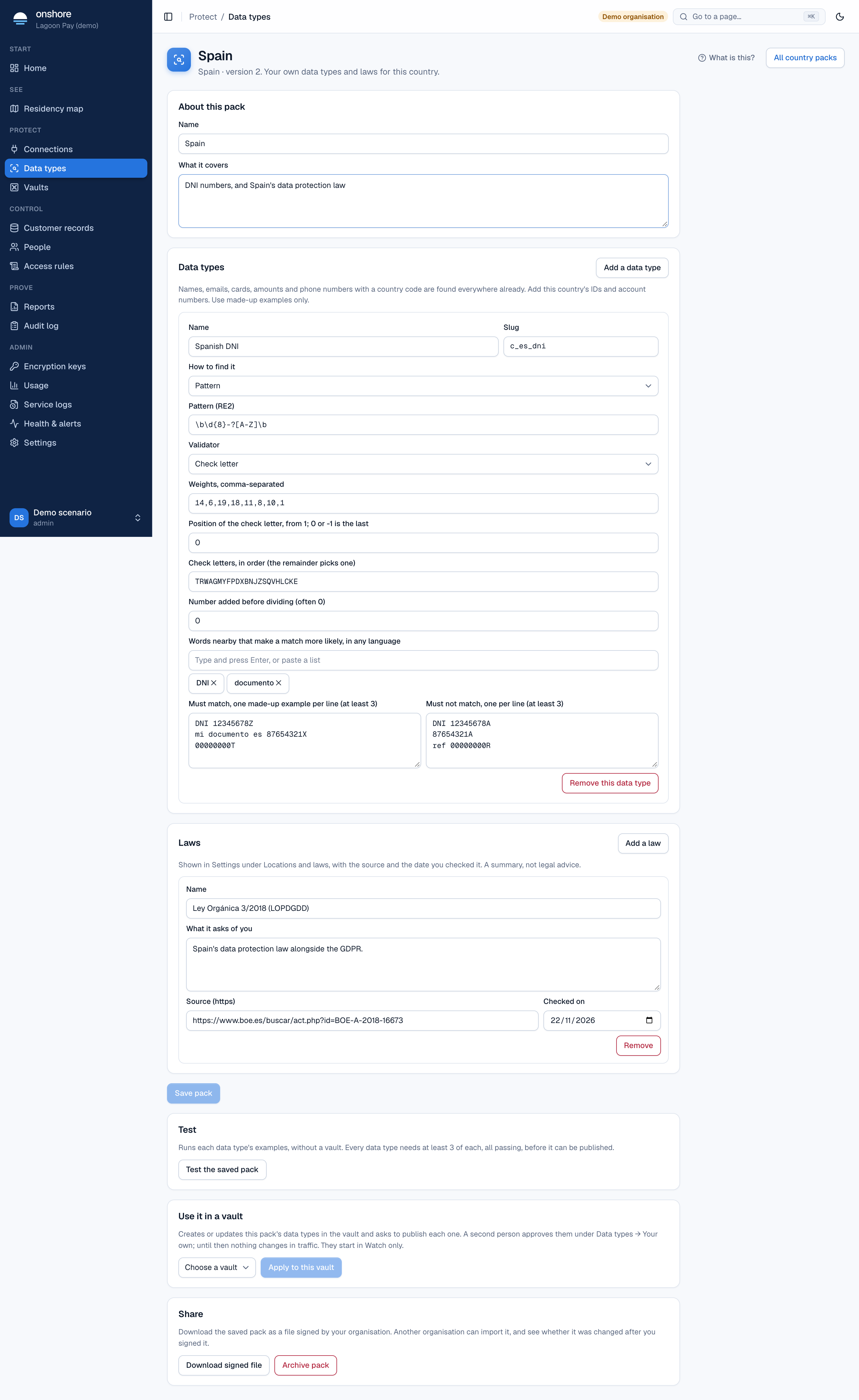
Select Add a data type. For each:
- Name and slug, such as “National ID card number” and
c_ma_cin. - How to find it: Pattern, Value after a word, Keyword list or JSON field.
- For a pattern, its check rule (validator): a check letter, mod 97, mod 11 with your weights, a date inside the number, and others. See Check rules.
- Words nearby that make a match more likely, in any language.
- At least 3 made-up examples that must match and 3 that must not, one per line.
Names, emails, cards, amounts and international phone numbers are already found everywhere: you only need the country’s own IDs and accounts. Value lists can’t go in a pack, because their values are your organisation’s own data.
Add laws
Select Add a law and fill in its name, what it asks of you, its source (an https link) and the date you checked it.
Save
Select Save pack. Each save with new content makes a new version.
Test it
Select Test the saved pack. Each data type’s examples run on their own, without a vault. Every type needs at least 3 examples of each kind, all passing, before it can be published.
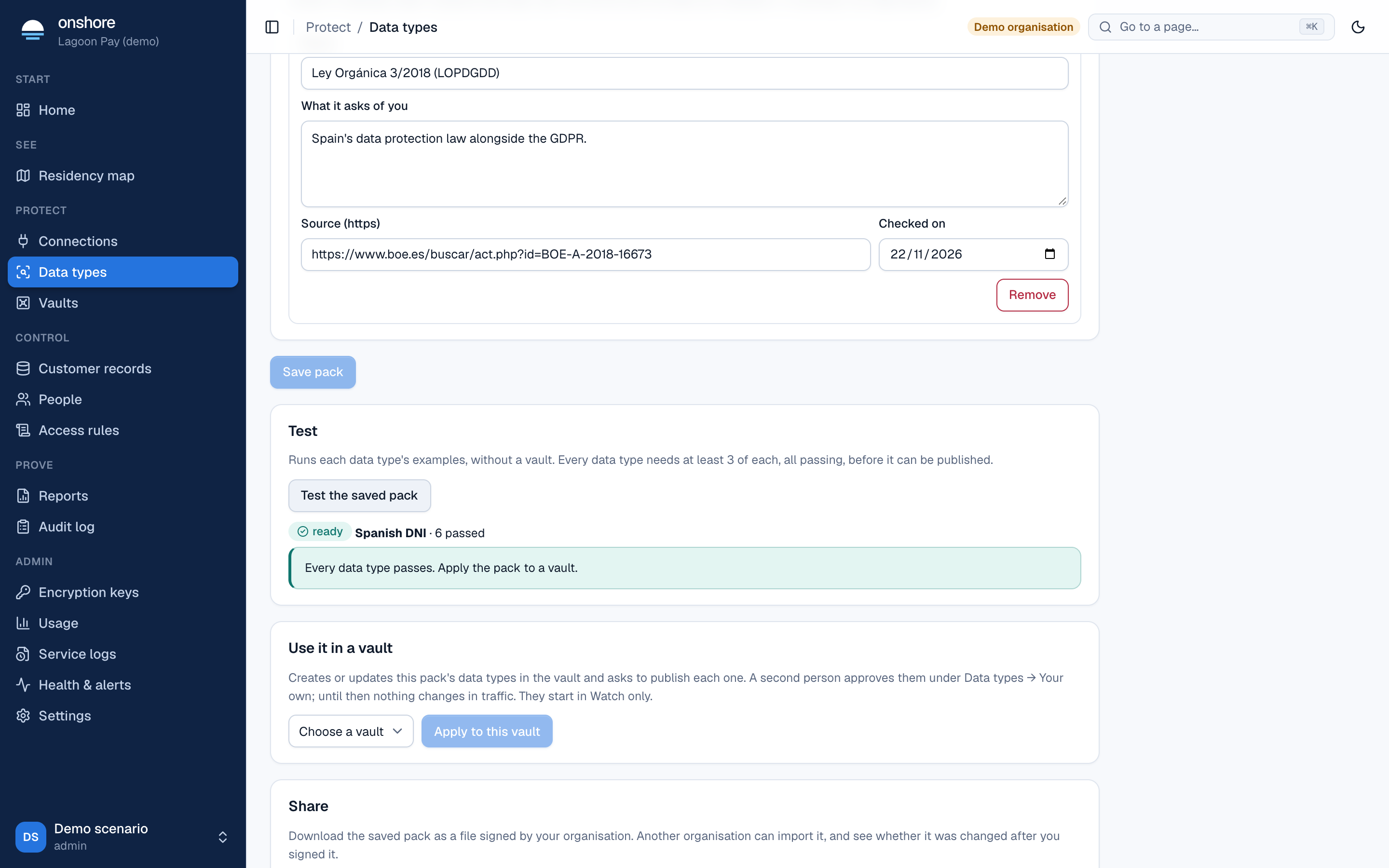
A failure says which example was missed or wrongly matched.
Use it in a vault
Under Use it in a vault, choose a vault and select Apply to this vault. For each data type, Onshore:
- creates it in the vault (or updates it, if an older version of this pack is there);
- asks to publish it, running the samples and the benchmark.
A second person approves each one under Data types → Your own. Until then nothing changes in traffic, and each starts in watch only. If the vault is in a different country from the pack, you’re told; that’s fine if its customers include people from the pack’s country.
Applying again after you edit the pack updates the vault’s types and asks for approval again. While an update waits, the live version keeps protecting. The pack shows each vault it’s in, and whether it’s up to date.
Applying a pack turns on your own data types for the vault if they were off (admins only).
Share it
Select Download signed file. The file is signed by your organisation. Another organisation imports it with Import a pack file on the Country packs tab.
Before importing, they see who signed it, when, and a fingerprint such as E307 73EA 2B79 443C 23C3 FAD6 82E4 4F66, plus the pack’s data types and laws.
- A file changed after signing, or not signed, is refused.
- The signature proves the file is unchanged since that key signed it; it doesn’t prove who sent it. Check the fingerprint with the sender another way, such as a call.
- Importing changes nothing in traffic: they still apply it to a vault, and each type needs approval.
Archive
Archive pack stops it being applied again. Data types already in vaults stay as they are.
Limits
- Packs aren’t copied to linked installs automatically: export and import the file.
- Laws from packs appear in Settings, but don’t yet feed reports or setup’s suggestions.