First-time setup
The first time an admin signs in, the console opens first-time setup. It takes five steps and creates your vaults at the end. Nothing is created until the last step, and you can go back at any time.
Setup is pre-filled from where you are: it guesses your country from your browser’s time zone and language, then fills in each step to suit it. You confirm or change everything.
Your organisation
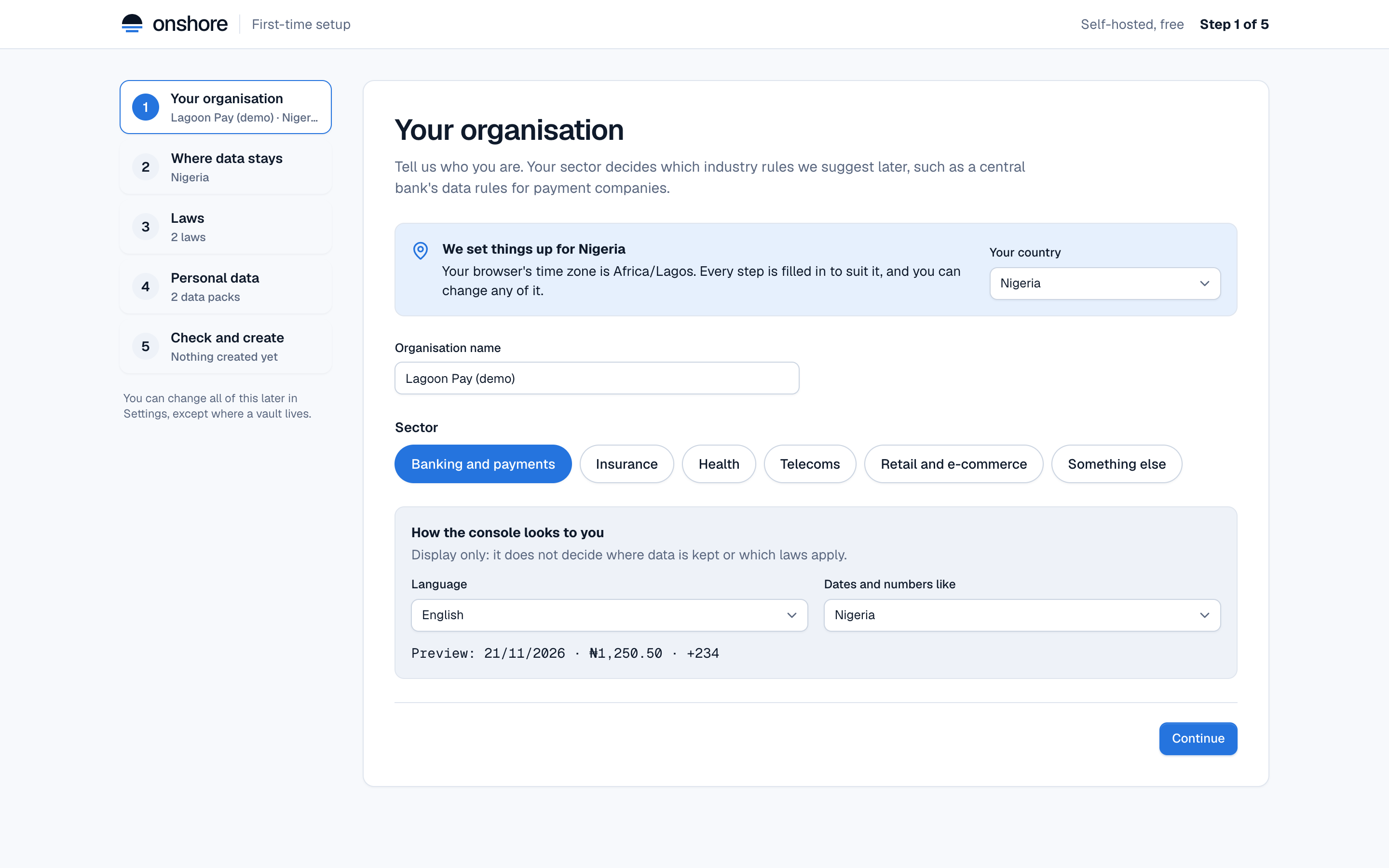
- Your country: where your company is. Setup explains how it guessed. Change it if it’s wrong.
- Organisation name: shown in the console and on reports.
- Sector: decides which industry rules are suggested later, such as payment data rules for banking.
- How the console looks to you: language (English or French) and how dates and numbers are written. Display only: it doesn’t decide where data is kept.
Where data stays
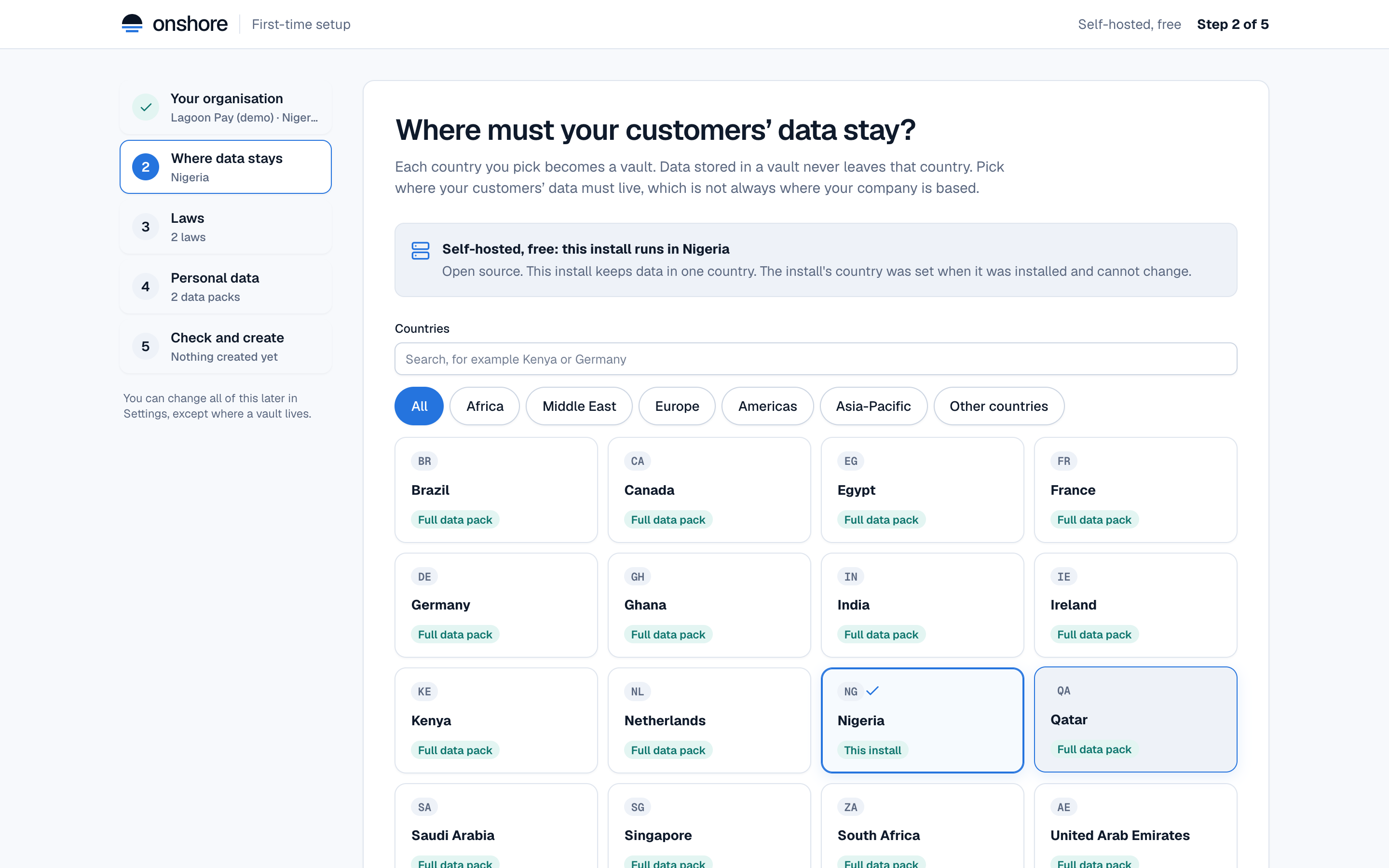
Each country you pick becomes a vault. Pick where your customers’ data must live, which isn’t always where your company is based.
- Countries with a Full data pack have built-in detection for their IDs and accounts.
- Other countries are all listed too. A country with no built-in pack still gets a vault that finds names, emails, cards, amounts and phone numbers; after setup you can add its IDs as your own country pack.
- On a self-hosted install, the install’s country is always included and can’t be removed.
- Free keeps one country per install. Enterprise plans an install in each other country; Onshore Cloud sets up a region where one is open, or puts the country on a waitlist.
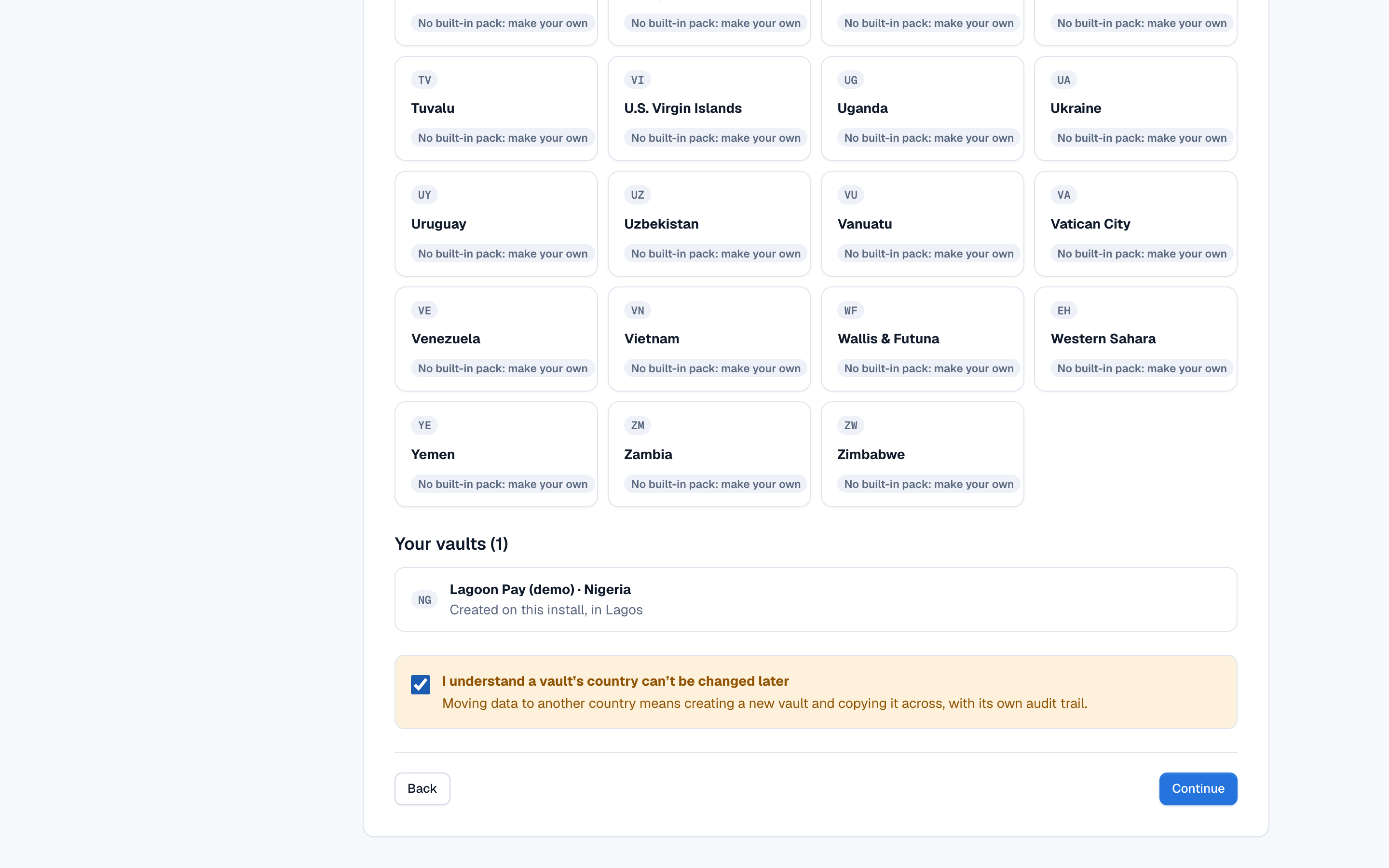
At the bottom, confirm that you understand a vault’s country is final:
Laws
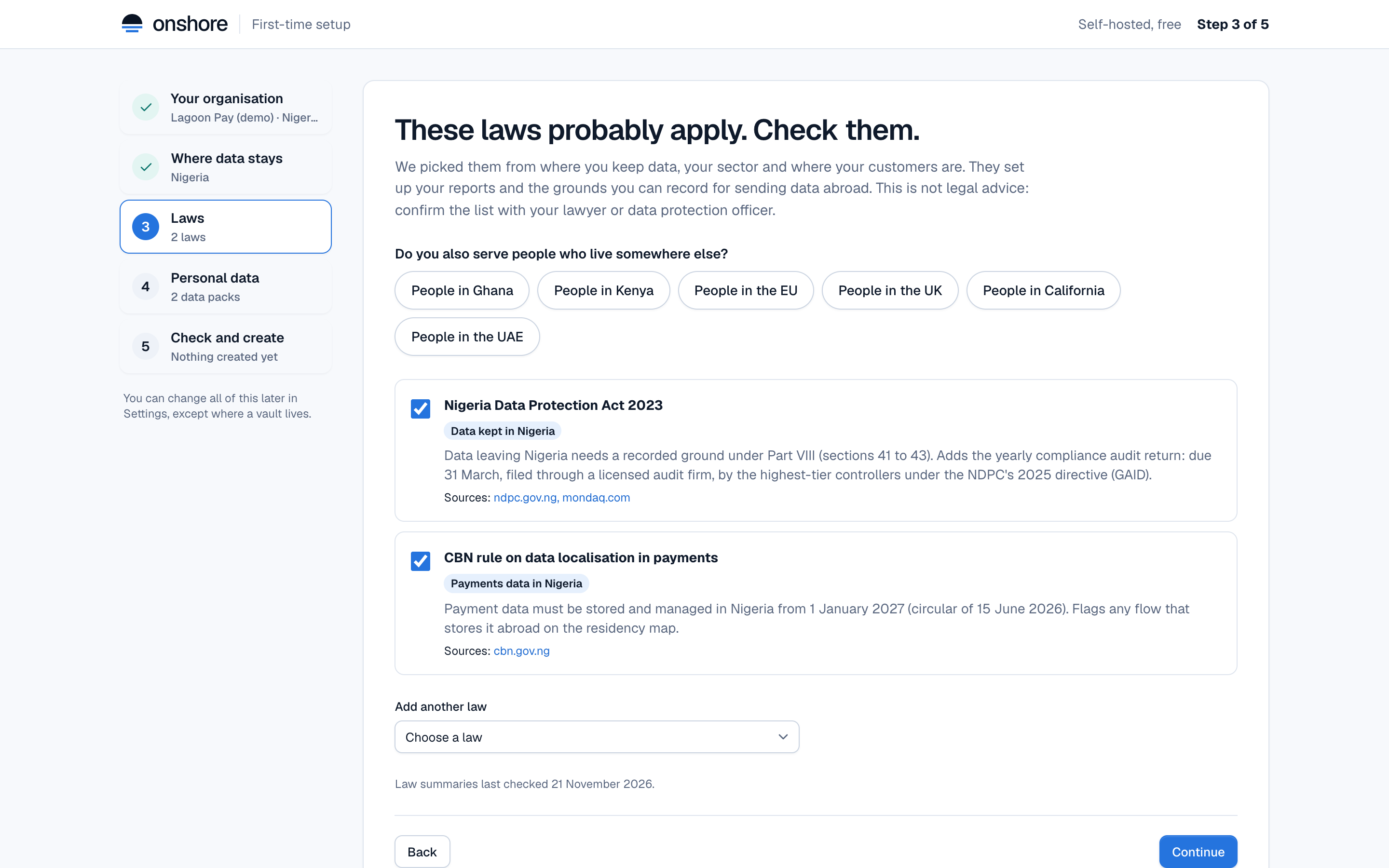
Setup suggests the laws to track, from your countries, sector and the places your customers live. Each shows why it was suggested, a short summary, its source, and when we last checked it. Untick any that don’t apply, or add others.
Law summaries are a starting point, not legal advice. Your counsel decides what applies.
Personal data
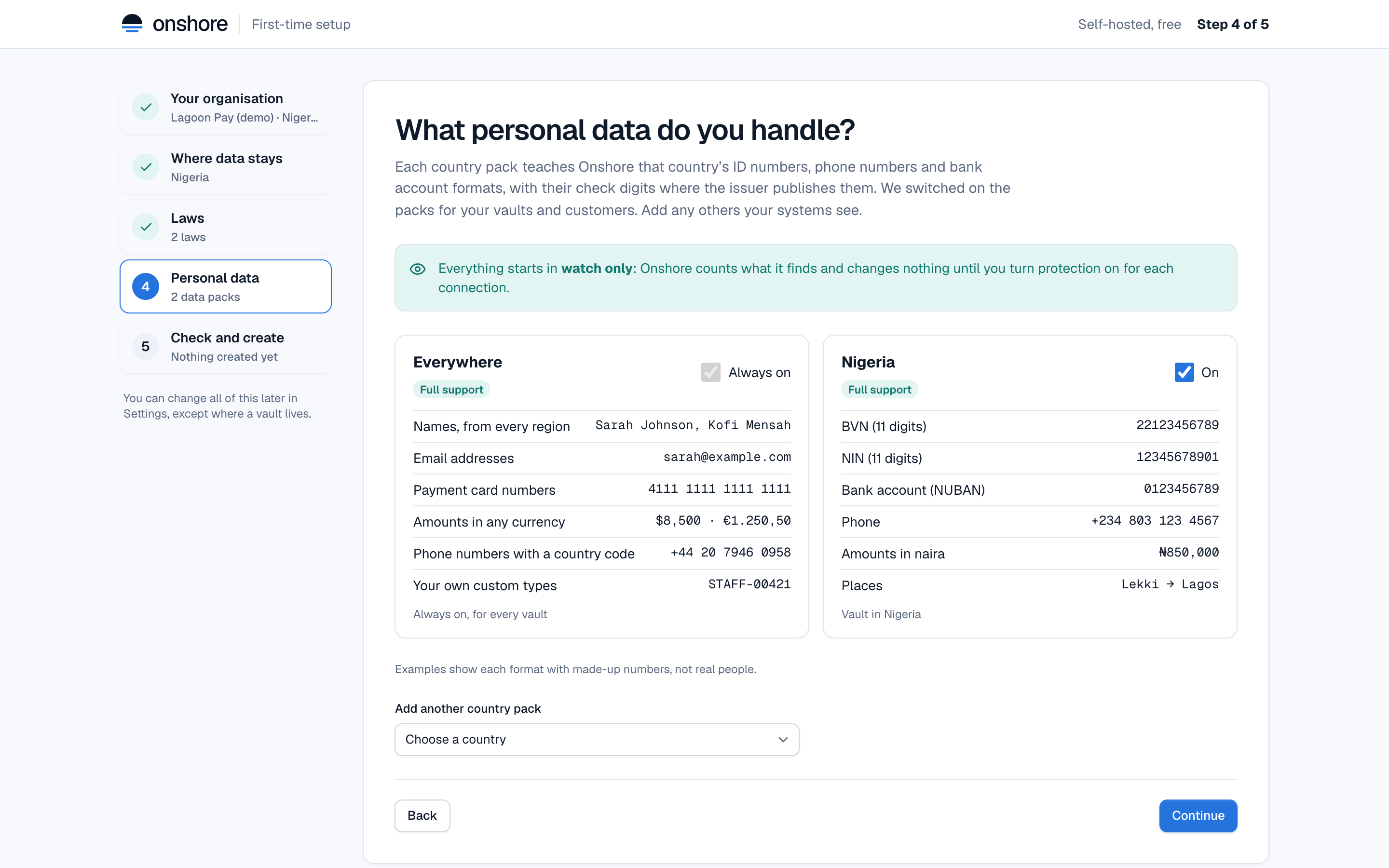
Each country pack teaches Onshore that country’s ID numbers, phone numbers and bank account formats. The packs for your vaults and customers are switched on. The Everywhere pack is always on. Add any other country your systems see under Add another country pack.
Everything starts in watch only: Onshore counts what it finds and changes nothing until you turn protection on for each connection.
Check and create
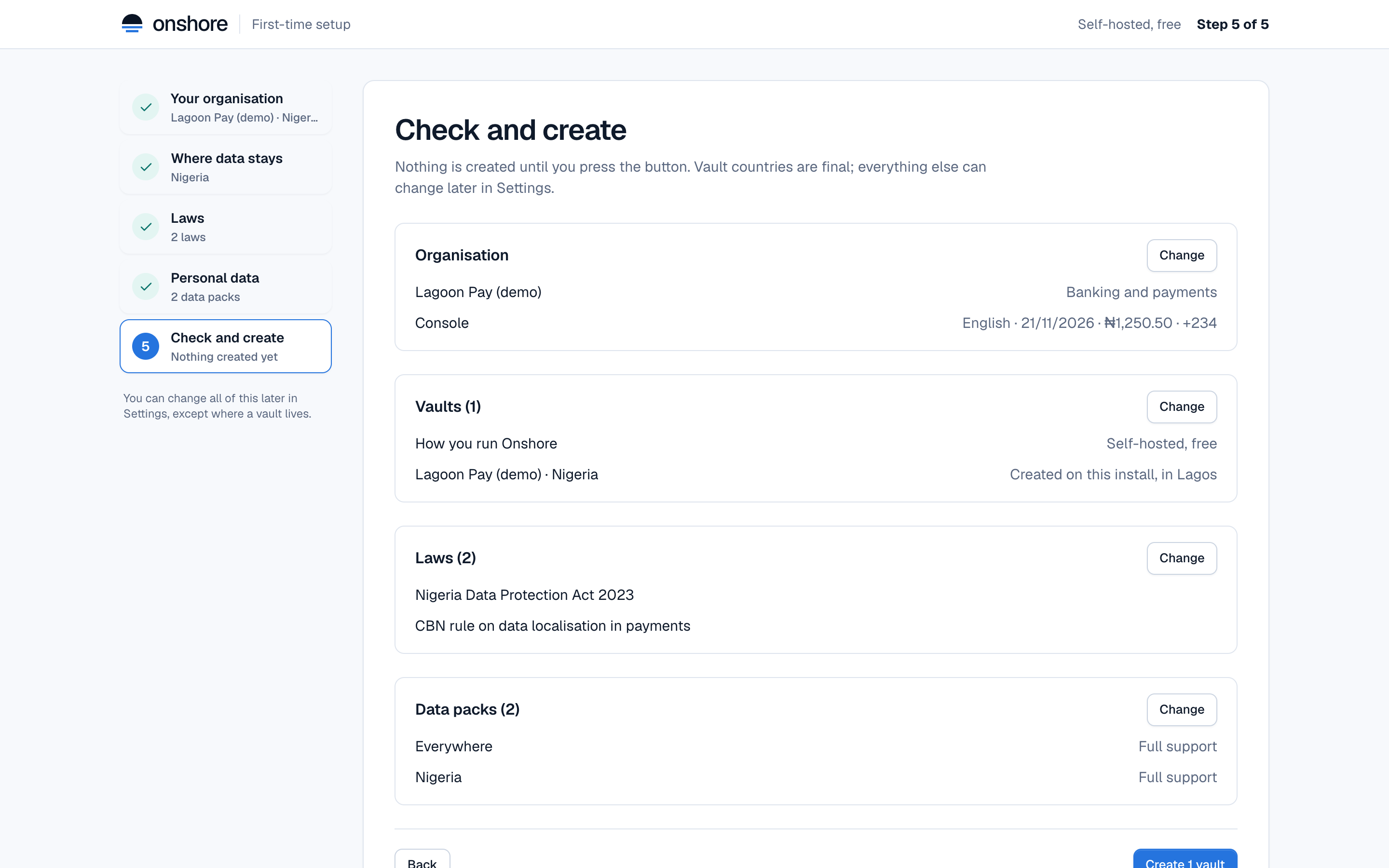
Review what will be created, then select Create 1 vault (the button counts your vaults). Nothing is created until you press it. Afterwards you see:
- the vaults created now;
- for Enterprise, a join command for each other country, to run on a server there (valid for 24 hours, single use);
- for Cloud, the regions being set up and any countries on the waitlist.
After setup
- Change anything except a vault’s country in Settings → Locations and laws. See Settings.
- Follow the setup guide on the home page for a first connection: Your first connection.
- Invite your team: People and roles.