Single sign-on Enterprise · Cloud
With single sign-on, people sign in to Onshore through your organisation’s identity provider. Onshore supports SAML 2.0 and OpenID Connect (OIDC), so it works with any provider that speaks either.
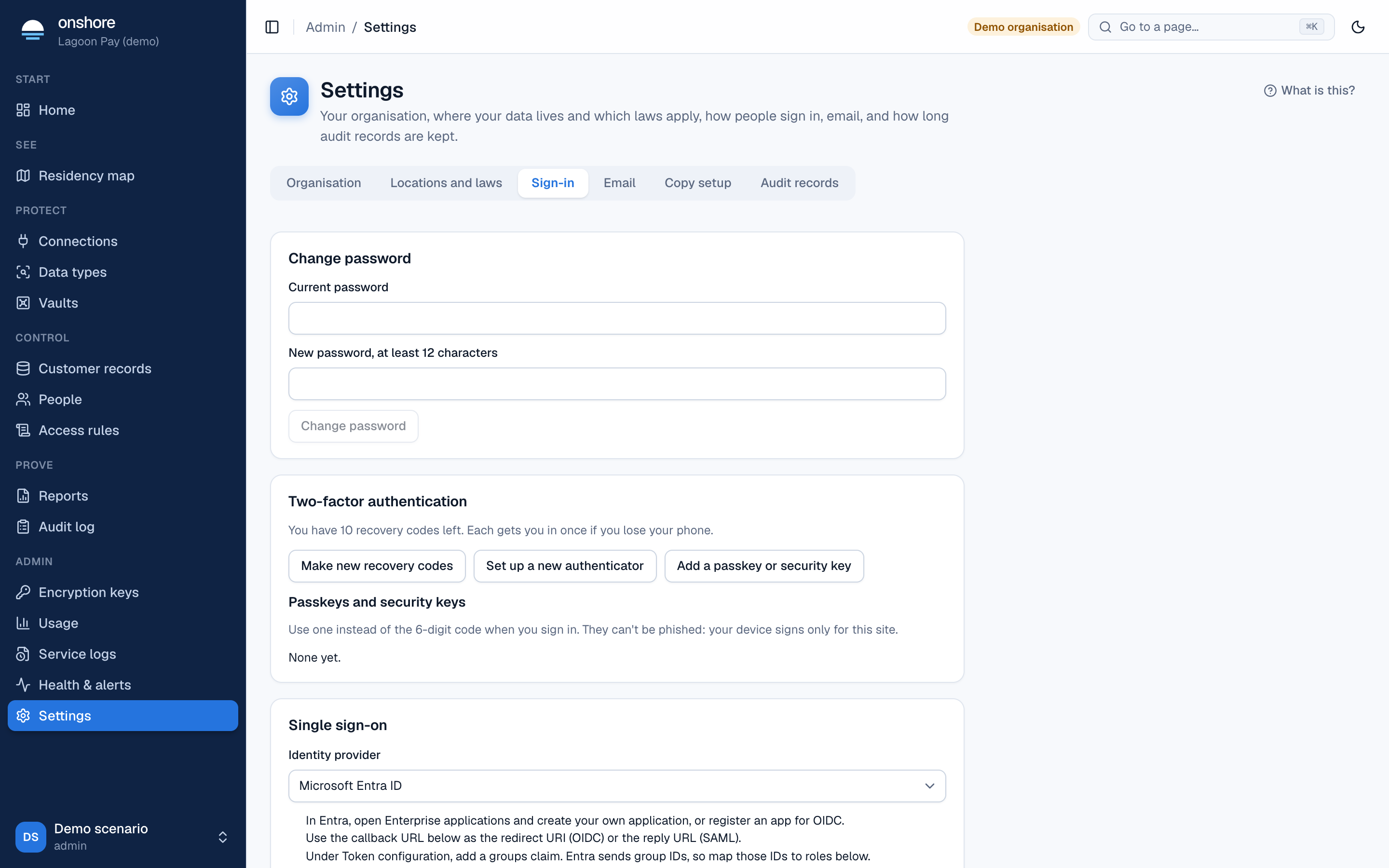
Set it up
Choose your identity provider
In Settings → Sign-in → Single sign-on, choose your provider. The card shows the steps for that provider, and fills in sensible defaults. Step-by-step guides are in Provider guides.
Copy Onshore’s details into your provider
- Callback URL (also called redirect URI or ACS URL), such as
https://vault.yourbank.example/api/session/sso. - Our entity ID, for SAML.
- Our SAML metadata, once saved: a download link you can give your provider instead.
Choose the protocol and fill in your provider’s details
| OIDC | SAML 2.0 | |
|---|---|---|
| You enter | Issuer URL, client ID, client secret, scopes | Your provider’s sign-in URL and signing certificate, or paste its metadata XML and select Fill in from metadata |
| Usually | openid email profile (add groups for Authelia) | Assertions must be signed |
Name the email domains
Comma-separated, such as yourbank.example. People whose email is in these domains are sent to your provider.
Groups
Optionally name the groups claim or attribute. With groups and roles, groups decide roles. For SAML, common attribute names are found automatically.
Choose the options
- Create an account on first sign-in when one of the person’s groups maps to a role. Without this, people must be added here first.
- My identity provider enforces MFA for these people. Required: console access needs two factors.
- Turn passwords off. Then only single sign-on works for these domains.
Save and test
Select Save, then sign in from a private window with Continue with single sign-on.
Keep at least one local admin (added by hand, with a password and authenticator) while you test, so a misconfiguration can’t lock you out. Turn passwords off only after single sign-on works.
What happens at sign-in
- The person types their email and selects Continue with single sign-on, and is sent to your provider.
- Onshore checks the response: OIDC tokens signed with your provider’s keys (never a shared secret), with the right audience and a single-use nonce; SAML assertions signed with your provider’s certificate.
- The email must be in your domains.
- If the person exists and is active, they’re signed in. If groups map to roles, their roles are updated.
- If they don’t exist: with account creation on and a group that maps to a role, an account is created; otherwise they’re refused.
People who leave every mapped group lose their roles and are refused. If your provider leaves the groups claim out when someone has no groups (as Keycloak does), Onshore treats that as “no groups” when you’ve named the claim.
Email claims
Onshore uses the email claim, or, if your provider sends none (as Entra ID can), preferred_username when it’s an email address. For SAML, the NameID if it’s an email, or an email or mail attribute.
Editing and removing
Edit keeps the saved client secret unless you enter a new one. Remove turns single sign-on off: people sign in with a password and authenticator code again.
Tested with
Real browser sign-ins through Keycloak, with both OIDC and SAML, including a correctly signed SAML login, account creation on first sign-in, and roles following groups. Entra ID, Okta and Google follow the same standards but haven’t been tried yet.
Not yet built
Single logout, and sign-in started from your provider’s own dashboard (IdP-initiated).