Logs
Application logs are full of account numbers, phone numbers and ID numbers, and they ship abroad all day. The log processor sits between your log collector and your log vendor, and replaces identifiers with tokens on the way through. Your applications don’t change.
Connect your logs
Start a log connection
In Connections, select Add a connection, then Logs. Or use the Logs tab.
Fill in the form
| Field | Meaning |
|---|---|
| Vault | Where tokens are stored. Usually the vault for the country your logs come from |
| Name | For you, such as “Payments API logs” |
| Source | OpenTelemetry Collector, Fluent Bit or Vector |
| Destination name | Your log vendor, such as Datadog |
| Destination URL | Your vendor’s intake address, starting https:// |
Select Create.
Add the settings to your collector
You get Collector settings: a new endpoint and a pipeline key, shown once. Add them to your collector’s configuration. Examples for each collector are in Log pipelines.
Watch, then protect
Logs pass through unchanged while the connection is watch only, and Onshore counts what it would replace. When ready, select Turn protection on.
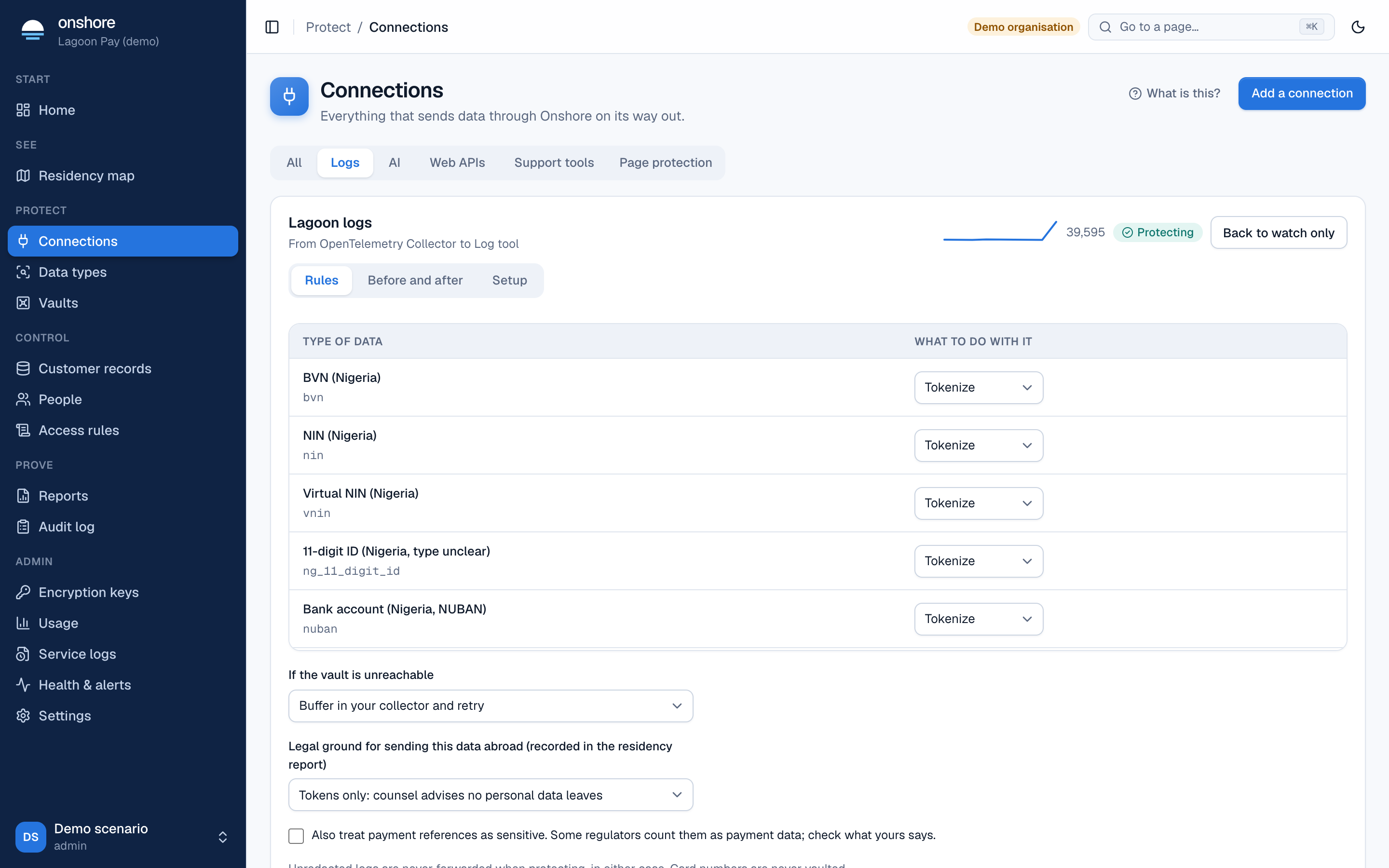
What happens to each type of data
For each type of data, choose what to do with it:
| Action | Effect |
|---|---|
| Tokenize | The value becomes a token. With “same value, same token” fields, you can still follow one customer through your logs |
| Mask | Most of the value is hidden, such as *******6789 |
| Drop the line | The whole line is dropped |
| Pass and count | Sent unchanged, and counted |
Card numbers are always masked, never stored in the vault.
If the vault is unreachable
- Buffer in your collector and retry (recommended): the processor tells the collector to try again later, so nothing is lost or leaked.
- Drop the logs: lines are discarded.
When protecting, unredacted logs are never forwarded, whichever you choose.
Fields that are always sensitive
Under Always-sensitive JSON paths, list fields that must be protected whatever they contain, one per line, as path:type, for example $.customer.bvn:bvn.
Try it
Paste a sample line (made-up data only) and select Show what would be forwarded. You see the line as your vendor would receive it once protection is on. Tokens shown are examples; nothing is stored.
Keys
Rotate pipeline key issues a new key, shown once. Update your collector; the old key stops working. A wrong key is refused.
Payment references
Payment references may count as payment data under some rules, but they are poor clues for anything else, so the payment_ref type is off by default. Turn it on per pipeline if your counsel says so.